
Brookline, MA · Norfolk County
Fire Escape Affidavit
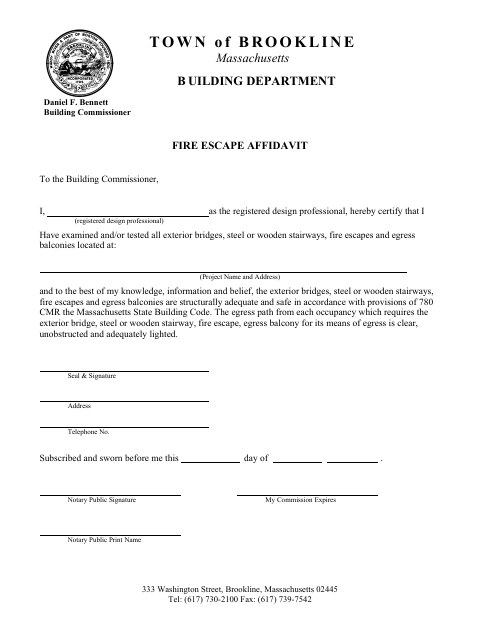
This affidavit lets a registered design professional certify the condition and safety of exterior bridges, stairways, fire escapes, and egress balconies for a project submitted to Brookline’s Building Department.
- licensed online notary
- ~15 min average
- Notarized PDF emailed
What you’ll need
- Government-issued photo ID
- Webcam-enabled device (laptop or phone)
- This form, ready to upload as a PDF
What this form is
The registered design professional states that they examined or tested the listed exterior structures and, to the best of their knowledge, they are structurally adequate and safe under the Massachusetts State Building Code. The form also certifies that the relevant egress paths are clear, unobstructed, and adequately lighted. Submit the completed affidavit to Brookline’s Building Commissioner when providing this certification for a project.
Who needs it
A registered design professional completing the certification for a project involving exterior bridges, stairways, fire escapes, or egress balconies submits this affidavit to Brookline’s Building Commissioner.
How to get this notarized
- 1
Download the Affidavit
Get Brookline’s one-page Fire Escape Affidavit from the city’s form page.
- 2
Fill In the Project Details
Enter the registered design professional’s information and the project name and address, then review the certification.
- 3
Book an Online Notary
Schedule a remote session with a commissioned online notary.
- 4
Sign on Video
Sign and swear to the affidavit during the online notarization; the notary completes the jurat.
- 5
Submit to the City
Send the completed affidavit to Brookline’s Building Commissioner.
Preview the form
The blank PDF straight from Brookline. Look it over, then upload your filled copy to start the notary session.

You’ll need ID and a webcam.
A licensed online notary will join you on video, verify your government-issued ID, witness your signature, and apply their seal. You’ll receive the notarized PDF by email when the session ends.
Frequently asked questions
- How do I submit a Brookline Fire Escape Affidavit?
- Complete the project and professional information, sign and swear to the affidavit before a notary, then submit it to Brookline’s Building Commissioner.
- Do I need to sign this affidavit in front of a notary?
- Yes. The form includes a subscribed-and-sworn jurat, so the registered design professional must sign and swear to the affidavit before the notary.
- Can I complete the notarization online?
- Massachusetts permanently authorized remote online notarization for its own notaries effective January 1, 2024. Use a commissioned online notary and check with the receiving department about submission requirements.
- Who should I contact if I’m unsure about filing requirements?
- Contact Brookline’s Building Department about the affidavit and project submission. Confirm with the city or town clerk if unsure.