
Grafton, MA · Worcester County
Declaration of Septic Restriction
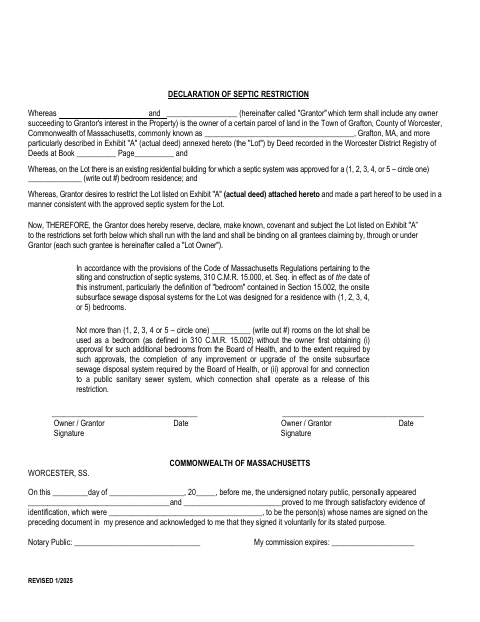
This declaration restricts how many rooms on a property may be used as bedrooms under the approved septic-system capacity; the property owner, or grantor, signs it for recording with the deed.
- licensed online notary
- ~15 min average
- Notarized PDF emailed
What you’ll need
- Government-issued photo ID
- Webcam-enabled device (laptop or phone)
- This form, ready to upload as a PDF
What this form is
The declaration ties the property’s permitted bedroom use to the capacity of its approved septic system. It states that additional bedrooms require Board of Health approval and any required system improvements, or approval for connection to a public sanitary sewer system. The form is for a property owner who wants this restriction to run with the land; it identifies the parcel and refers to the actual deed attached as Exhibit A.
Who needs it
A property owner seeking to restrict bedroom use to the septic system’s approved capacity uses this declaration and identifies the parcel and deed.
Why it needs a notary
The form contains an acknowledgment block stating that the owner or grantor personally appears, proves identity, and acknowledges signing voluntarily for the stated purpose.
How to get this notarized
- 1
Download the Declaration
Download the septic restriction declaration and obtain the actual deed to attach as Exhibit A.
- 2
Fill In the Property Details
Enter the owner, property, deed recording, and bedroom-capacity information requested by the form.
- 3
Book an Online Notary
Schedule a commissioned online notary for the acknowledgment block.
- 4
Acknowledge Your Signature on Video
Appear remotely, verify your identity, and acknowledge signing voluntarily for the stated purpose.
- 5
Submit for Recording
Attach the actual deed and submit the completed declaration to the registry of deeds.
Preview the form
The blank PDF straight from Grafton. Look it over, then upload your filled copy to start the notary session.

You’ll need ID and a webcam.
A licensed online notary will join you on video, verify your government-issued ID, witness your signature, and apply their seal. You’ll receive the notarized PDF by email when the session ends.
Frequently asked questions
- How do I notarize the septic restriction declaration?
- Complete the declaration and arrange the actual deed as Exhibit A. Book a commissioned online notary, appear and acknowledge your signature, then submit the completed document for recording with the registry of deeds.
- Do I need to attach the actual deed?
- Yes. The form describes the parcel by reference to Exhibit A, identified as the actual deed, and says the exhibit is attached and made part of the declaration.
- Can I sign this form with a commissioned online notary?
- Massachusetts permanently authorized remote online notarization for its own notaries effective January 1, 2024. A commissioned online notary can take the acknowledgment remotely; confirm the receiving office’s submission requirements.
- Where do I submit the completed declaration?
- The form refers to the Worcester District Registry of Deeds for the deed and identifies the property in Grafton. Confirm recording and submission details with the appropriate registry of deeds; confirm with the city or town clerk if unsure.