
Harvard, MA · Worcester County
Title 5 Upgrade/Repair Waiver and Schedule of Upgrade
This waiver application is for Harvard property owners seeking relief from a required Title 5 inspection while agreeing to conditions for their on-site sewage disposal system.
- licensed online notary
- ~15 min average
- Notarized PDF emailed
What you’ll need
- Government-issued photo ID
- Webcam-enabled device (laptop or phone)
- This form, ready to upload as a PDF
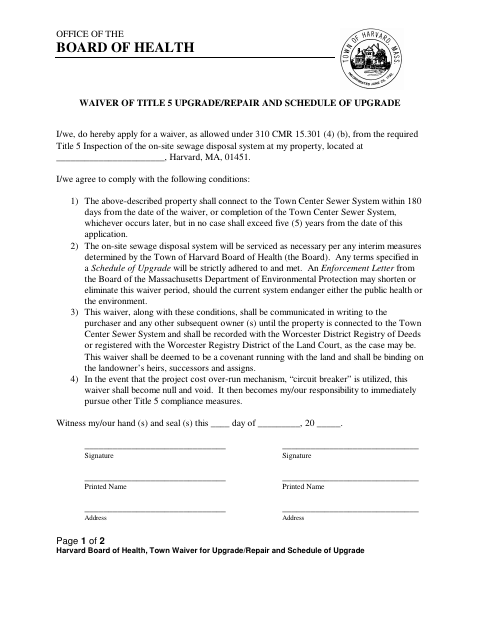
What this form is
The Harvard Board of Health form asks property owners to apply for a waiver from the required Title 5 inspection of an on-site sewage disposal system. It sets conditions that include connecting to the Town Center Sewer System within the stated time limits, maintaining the system as required, and communicating the waiver to future owners. The form also says the waiver must be recorded with the Worcester District Registry of Deeds or registered with the Worcester Registry District of the Land Court, as applicable.
Who needs it
Harvard property owners seeking a waiver from the required Title 5 inspection for an on-site sewage disposal system should complete this form and agree to its conditions.
Why it needs a notary
The form has an acknowledgment block, and each property owner signing the waiver must personally appear before the notary and acknowledge signing it voluntarily.
How to get this notarized
- 1
Download the Form
Get the Town Waiver for Upgrade/Repair and Schedule of Upgrade from the Harvard Board of Health.
- 2
Fill Out the Waiver
Complete the property, owner, and signature information and review the waiver conditions.
- 3
Book an Online Notary
Schedule a remote session with a commissioned online notary for each signer.
- 4
Sign on Video
Appear before the notary on video and acknowledge signing the waiver voluntarily.
- 5
Submit the Waiver
Follow the form's recording or registration instructions and any submission directions from the Harvard Board of Health.
Preview the form
The blank PDF straight from Harvard. Look it over, then upload your filled copy to start the notary session.

You’ll need ID and a webcam.
A licensed online notary will join you on video, verify your government-issued ID, witness your signature, and apply their seal. You’ll receive the notarized PDF by email when the session ends.
Frequently asked questions
- How do I get the Harvard Title 5 waiver notarized?
- Complete the waiver, then book a session with a commissioned online notary. Each signer must appear on video and acknowledge signing voluntarily.
- Do I need to sign this form in front of a notary?
- Yes. The form includes a notary acknowledgment stating that the signers personally appeared and acknowledged signing the preceding document voluntarily.
- What happens after the waiver is signed?
- The form says the waiver must be communicated in writing to purchasers and subsequent owners and recorded with the Worcester District Registry of Deeds or registered with the Worcester Registry District of the Land Court, as applicable.
- Can I use an online notary for this form?
- Massachusetts permanently authorized remote online notarization for its own notaries effective January 1, 2024. Confirm with the city or town clerk if unsure whether the completed form meets local submission requirements.