
Rutland, MA · Worcester County
Form H Release of Lots (Provision of Surety)
Rutland Planning Board members use Form H to certify that surety has been provided and release designated lots from sale and building restrictions under a recorded covenant and certificate of action.
- licensed online notary
- ~15 min average
- Notarized PDF emailed
What you’ll need
- Government-issued photo ID
- Webcam-enabled device (laptop or phone)
- This form, ready to upload as a PDF
What this form is
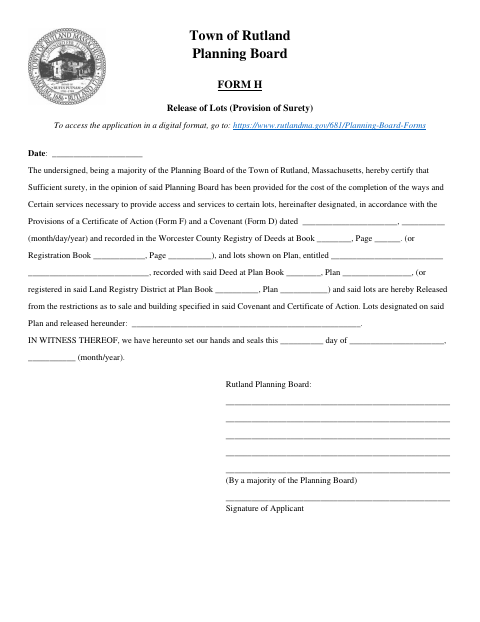
Form H records the Rutland Planning Board’s certification that sufficient surety has been provided for completing ways and services needed to serve designated lots. It identifies the related certificate of action, covenant, recorded documents, plan, and lots being released from restrictions on sale and building. The form is used when the Board releases lots under those recorded documents; the Board members and applicant sign it.
Who needs it
Rutland Planning Board members and the applicant use this form when designated lots are being released from restrictions after sufficient surety has been provided.
Why it needs a notary
The form has an acknowledgment block: one named Planning Board member and the applicant personally appear before the notary and acknowledge the instrument.
How to get this notarized
- 1
Download Form H
Get Form H from the Town of Rutland Planning Board forms page.
- 2
Fill In the Form
Enter the referenced covenant, certificate of action, recording details, plan, and lots to be released.
- 3
Book an Online Notary
Arrange a session with a commissioned online notary for the acknowledgment.
- 4
Sign on Video
The Planning Board member and applicant named in the acknowledgment appear and acknowledge the instrument before the notary.
- 5
Submit to the Planning Board
Submit the completed form to the Rutland Planning Board.
Preview the form
The blank PDF straight from Rutland. Look it over, then upload your filled copy to start the notary session.

You’ll need ID and a webcam.
A licensed online notary will join you on video, verify your government-issued ID, witness your signature, and apply their seal. You’ll receive the notarized PDF by email when the session ends.
Frequently asked questions
- How do I complete and notarize Rutland Form H?
- Fill in the referenced documents, plan, and lots, then book a commissioned online notary. The Planning Board member and applicant named in the acknowledgment must appear and acknowledge the instrument.
- Do I need a notary for Form H?
- Yes. Form H includes an acknowledgment in which one Planning Board member and the applicant personally appear before a notary and acknowledge the instrument.
- Can I sign Form H with a commissioned online notary?
- Massachusetts permanently authorized remote online notarization for its own notaries effective January 1, 2024, under G.L. c. 222, §§27–29. G.L. c. 183, §30(b) recognizes an acknowledgment taken outside the Commonwealth by a notary authorized to act where it was taken.
- Where should I submit the completed form?
- The form identifies the Rutland Planning Board and provides access to its application forms. Confirm the submission process with the Board; confirm with the city or town clerk if unsure.