
Worcester, MA · Worcester County
New and Used Motor Vehicle Dealer License Application
This six-page packet applies for a Worcester Class I, II, or III new or used motor vehicle dealer license and includes a records-book declaration that the applicant signs for notarization.
- licensed online notary
- ~15 min average
- Notarized PDF emailed
What you’ll need
- Government-issued photo ID
- Webcam-enabled device (laptop or phone)
- This form, ready to upload as a PDF
What this form is
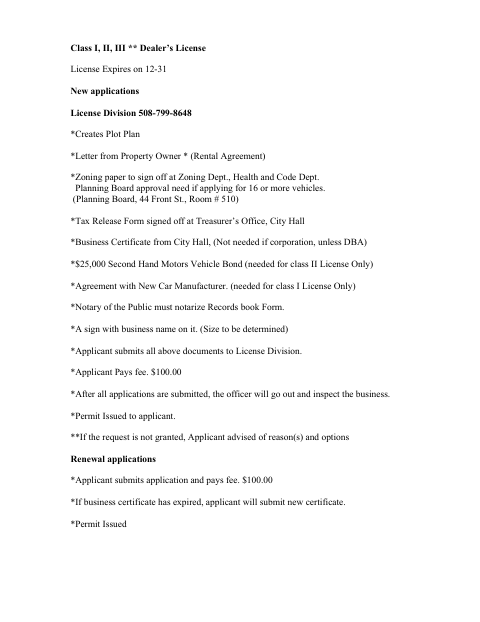
Worcester uses this packet for new and renewal applications for Class I, II, or III motor vehicle dealer licenses. New applicants provide business and applicant details and submit the listed supporting documents; the packet also includes a records-book declaration and sections for zoning, occupancy, and city tax review. The form says applicants submit materials and pay the fee to the License Division, and that new businesses may be inspected before a permit is issued.
Who needs it
Anyone applying to Worcester for a new or renewal Class I, II, or III new or used motor vehicle dealer license should complete the applicable parts of this packet.
Why it needs a notary
The records-book declaration carries a signature line labeled “Notarized by a Notary”; the applicant signs and dates that declaration for notarization.
How to get this notarized
- 1
Download the Packet
Download Worcester’s six-page new and used motor vehicle dealer license packet.
- 2
Complete the Applicant Sections
Fill in the applicable applicant, business, license-class, and records-book declaration fields.
- 3
Book an Online Notary
Arrange an appointment with a commissioned online notary for the records-book declaration.
- 4
Sign on Video
Sign and date the declaration during the remote notarization appointment.
- 5
Submit the Packet
Submit the completed application and required supporting documents to the Worcester License Division.
Preview the form
The blank PDF straight from Worcester. Look it over, then upload your filled copy to start the notary session.

You’ll need ID and a webcam.
A licensed online notary will join you on video, verify your government-issued ID, witness your signature, and apply their seal. You’ll receive the notarized PDF by email when the session ends.
Frequently asked questions
- Which part of the dealer license packet needs notarization?
- The records-book declaration asks the applicant to confirm they have read and understand the record-book requirements, then sign and date a line labeled “Notarized by a Notary.”
- How do I complete the notarized records-book declaration?
- Complete the relevant packet fields, then sign the records-book declaration during your appointment with a commissioned online notary. Submit the completed packet and required documents to the License Division.
- Do I need to submit supporting documents with a new application?
- The packet lists supporting items for new applications, including zoning sign-offs, a tax release, and other documents depending on license class and application details. Check the packet for the requirements that apply to you.
- Can I have the records-book declaration notarized online?
- Massachusetts permanently authorized remote online notarization for its own notaries effective January 1, 2024. A commissioned online notary can notarize remotely; confirm with the city or town clerk if unsure whether the city will accept the online notarization.