
Rockwood, MI · Wayne County
Hardship/Poverty Exemption Application
This application lets Rockwood homeowners who occupy their property as a homestead request a property tax exemption based on poverty and submit financial details for Board of Review consideration.
- licensed online notary
- ~15 min average
- Notarized PDF emailed
What you’ll need
- Government-issued photo ID
- Webcam-enabled device (laptop or phone)
- This form, ready to upload as a PDF
What this form is
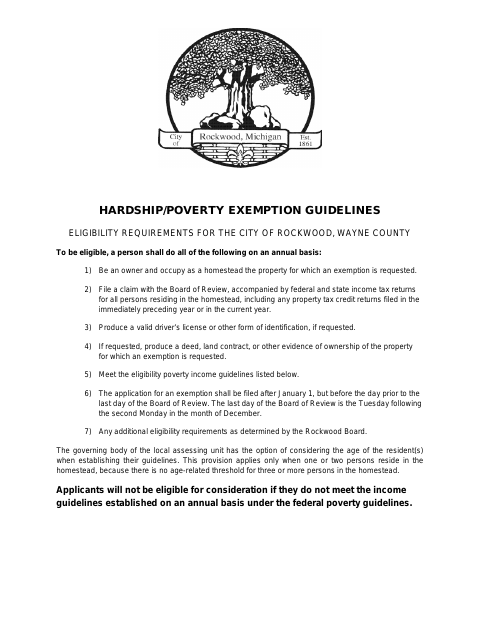
Rockwood’s guidelines describe annual eligibility requirements for homeowners applying for a hardship or poverty exemption, including income limits, occupancy, and filing with the Board of Review. The application requests information about household income, assets, expenses, and property, and requires copies of federal and state income tax returns and any applicable Michigan Homestead Property Tax Credit claim. File within the period stated in the guidelines and provide the supporting documents.
Who needs it
A Rockwood homeowner who occupies the property as a homestead and seeks a poverty-based property tax exemption must file this application annually with the Board of Review.
Why it needs a notary
The form carries a sworn jurat; the petitioner signs the application before an assessor, Board of Review member, or notary public.
How to get this notarized
- 1
Download the Application
Get the Rockwood Hardship/Poverty Exemption Application and review its eligibility guidelines.
- 2
Complete the Form
Fill in the requested household, income, asset, expense, and property information; gather required tax returns and credit claim documents.
- 3
Book an Online Notary
Arrange a remote notarization session with a commissioned online notary, leaving the signature blank until the appointment.
- 4
Sign on Video
Show identification as requested and sign the application during the video session before the notary completes the jurat.
- 5
Submit to the City
Send the signed application and required attachments to the Rockwood Board of Review within the stated filing period.
Preview the form
The blank PDF straight from Rockwood. Look it over, then upload your filled copy to start the notary session.

You’ll need ID and a webcam.
A licensed online notary will join you on video, verify your government-issued ID, witness your signature, and apply their seal. You’ll receive the notarized PDF by email when the session ends.
Frequently asked questions
- Who can apply for Rockwood’s hardship exemption?
- The guidelines say applicants must own and occupy the property as a homestead, meet the annual poverty income guidelines, and file a claim with the Board of Review.
- Do I need to sign the application in front of a notary?
- The form says not to sign until witnessed by the assessor, a Board of Review member, or a notary public. Its sworn jurat is completed with the petitioner’s signature.
- How do I complete the application with an online notary?
- Complete the form but leave it unsigned, book a session with a commissioned online notary, and sign during the video appointment. Michigan permits remote electronic notarization by commissioned notaries.
- What documents must I attach?
- The form requests copies of the latest federal and state income tax returns and the Michigan Homestead Property Tax Credit claim, if filed. The guidelines also describe other supporting documents that may be requested.
- When should I submit the application?
- The guidelines say to file after January 1 and before the day prior to the last day of the Board of Review. Confirm the filing schedule and submission method with the city, village or township if unsure.