
Chanhassen, MN · Carver County
Alcoholic Beverage License Application Part 2 – Personal History
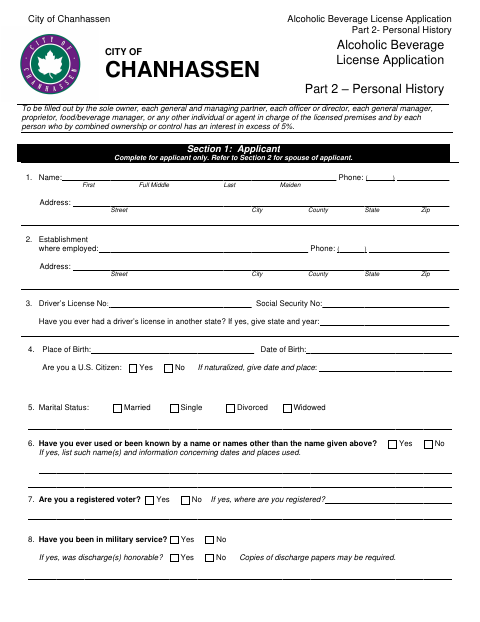
This five-page personal history form collects background and business information from individuals with specified roles or ownership interests in an applicant for a City of Chanhassen alcoholic beverage license.
- licensed online notary
- ~15 min average
- Notarized PDF emailed
What you’ll need
- Government-issued photo ID
- Webcam-enabled device (laptop or phone)
- This form, ready to upload as a PDF
What this form is
The form gathers personal, residence, employment, business, and family history, along with information about liquor-related interests, convictions, and investments. The applicant completes Section 1 and the history questions; a married applicant also completes the spouse section. The form states that the applicant’s information will be used to approve the license and includes a sworn signature section for the applicant.
Who needs it
The sole owner, specified partners, officers, managers, and other people in charge of the licensed premises must complete it, as must people with more than a 5% combined ownership or control interest.
Why it needs a notary
The applicant signs the sworn declaration before a notary, using the form’s “Subscribed and sworn to before me” jurat; the notary completes the signature and date.
How to get this notarized
- 1
Download the Form
Download the City of Chanhassen Alcoholic Beverage License Application Part 2 – Personal History.
- 2
Fill In Applicable Sections
Complete the applicant section, applicable spouse section, history questions, and investment information.
- 3
Book an Online Notary
Arrange an online notarization for the applicant’s sworn declaration.
- 4
Sign on Video
Sign the declaration during the video session so the notary can complete the jurat.
- 5
Submit to the City
Submit the completed form with the alcoholic beverage license application to the City of Chanhassen.
Preview the form
The blank PDF straight from Chanhassen. Look it over, then upload your filled copy to start the notary session.

You’ll need ID and a webcam.
A licensed online notary will join you on video, verify your government-issued ID, witness your signature, and apply their seal. You’ll receive the notarized PDF by email when the session ends.
Frequently asked questions
- How do I complete and notarize this personal history form?
- Fill in the applicable personal history sections, then book a commissioned online notary. Sign the declaration during the video session so the notary can complete the jurat.
- Do I need to complete the spouse section?
- The form instructs married applicants to complete Questions 12–17 about their spouse. Applicants who are not married proceed to Question 18.
- Who must complete this form?
- The form lists the sole owner, specified partners, officers, managers, people in charge of the licensed premises, and individuals with more than a 5% combined ownership or control interest.
- Does Minnesota allow online notarization for this form?
- Minnesota authorizes remote online notarization by a commissioned online notary. Confirm with the city if unsure whether it will accept this notarized form.
- What happens to the information I provide?
- The form says the information will be used to approve the license. It also explains that some requested data is private and that missing information may prevent the city from approving the license.