
Farmington, MN · Dakota County
Pawnbrokers and Precious Metal Dealers License Application
This application packet requests a Farmington license for a pawnbroker or precious metal dealer and is filed by the business applicant with the City.
- licensed online notary
- ~15 min average
- Notarized PDF emailed
What you’ll need
- Government-issued photo ID
- Webcam-enabled device (laptop or phone)
- This form, ready to upload as a PDF
What this form is
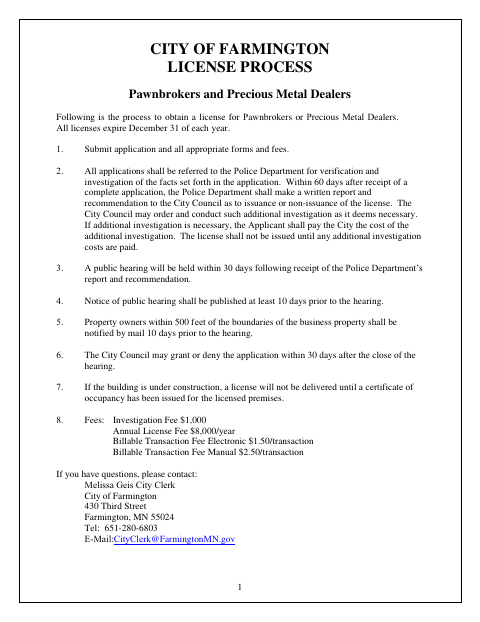
The packet guides applicants through the licensing process and collects business, ownership, premises, financial, insurance, and background information. Applicants submit the application with required documents and fees; the City refers it to the Police Department for investigation, then holds a public hearing before the City Council decides whether to issue the license. The packet also includes a sworn applicant signature, workers’ compensation certification, and data-release authorization.
Who needs it
A person or business seeking a Farmington license to operate as a pawnbroker or precious metal dealer must submit the application packet and required supporting materials.
Why it needs a notary
The applicant signs the application signature block, which is subscribed and sworn before a notary public; the workers’ compensation certification has a separate signature block without a notary block.
How to get this notarized
- 1
Download The Packet
Get the Farmington Pawnbrokers and Precious Metal Dealers License packet and review its application, checklist, and supporting forms.
- 2
Complete The Forms
Fill in the application and required supporting documents. Gather the materials and fees listed on the packet checklist.
- 3
Book An Online Notary
Schedule a session with a commissioned online notary for the applicant signature that must be sworn.
- 4
Sign On Video
Show identification and sign the application during the online video session when directed by the notary.
- 5
Submit To The City
Return the completed packet, notarized application, supporting documents, and applicable fees to the City of Farmington.
Preview the form
The blank PDF straight from Farmington. Look it over, then upload your filled copy to start the notary session.

You’ll need ID and a webcam.
A licensed online notary will join you on video, verify your government-issued ID, witness your signature, and apply their seal. You’ll receive the notarized PDF by email when the session ends.
Frequently asked questions
- How do I get the application signature notarized online?
- Complete the application fields, then book a session with a commissioned online notary. Sign the application during the video session when instructed, and include the notarized application with your packet.
- Do I need to sign the application in front of a notary?
- Yes. The application states that the applicant’s signature must be subscribed and sworn before a notary public. The workers’ compensation certification is a separate form with its own signature line.
- What documents and fees does the packet require?
- The checklist calls for the license application, workers’ compensation certificate, general authorization and release of data, applicable fees, liability insurance certificate, and premises floor plan. Additional materials may apply depending on the applicant’s business structure.
- Can I use an online notary for this Farmington application?
- Minnesota law authorizes remote online notarization by a commissioned online notary. Confirm with the city if unsure whether it will accept an online-notarized application.