
Austin, MN · Mower County
Affidavit of Limited Gross Sales of Wine and Non-Intoxicating Malt Liquor
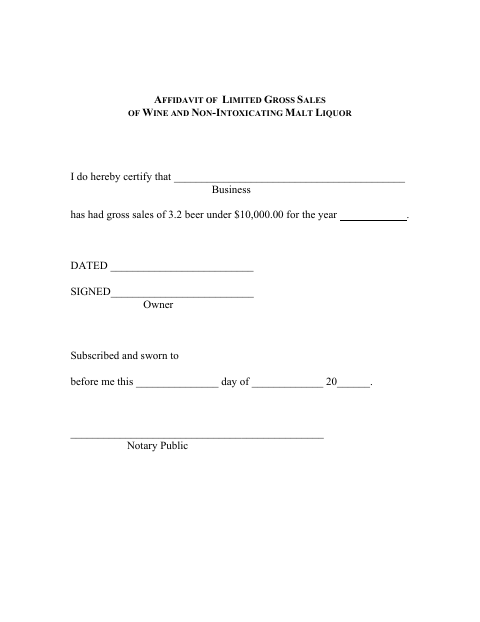
This affidavit lets a business owner certify that the business had less than $10,000 in gross sales of 3.2 beer for the year stated on the form.
- licensed online notary
- ~15 min average
- Notarized PDF emailed
What you’ll need
- Government-issued photo ID
- Webcam-enabled device (laptop or phone)
- This form, ready to upload as a PDF
What this form is
The affidavit records the business owner’s sworn statement that the business had less than $10,000 in gross sales of 3.2 beer for the year entered on the form. Its title identifies it as an affidavit of limited gross sales of wine and non-intoxicating malt liquor, and the form is provided with Austin’s 3.2 beer on-sale liquor license materials. The form does not specify a filing deadline.
Who needs it
A business owner completing Austin’s 3.2 beer on-sale liquor license paperwork may need this affidavit to certify the business’s gross sales for the year.
Why it needs a notary
The form carries a subscribed-and-sworn jurat; the business owner signs and swears to the gross-sales statement before the notary, in person or online.
How to get this notarized
- 1
Download the Affidavit
Get the Affidavit of Limited Gross Sales from Austin’s 3.2 beer on-sale liquor license materials.
- 2
Fill In the Business and Year
Enter the business name and the year covered by the gross-sales statement.
- 3
Book an Online Notary
Schedule a remote notarization with a commissioned online notary.
- 4
Sign on Video
Sign and swear to the statement during the online notary session.
- 5
Submit It to the City
Send the notarized affidavit to the city with the relevant liquor license paperwork.
Preview the form
The blank PDF straight from Austin. Look it over, then upload your filled copy to start the notary session.

You’ll need ID and a webcam.
A licensed online notary will join you on video, verify your government-issued ID, witness your signature, and apply their seal. You’ll receive the notarized PDF by email when the session ends.
Frequently asked questions
- How do I complete and notarize this affidavit?
- Enter the business name and year, then sign and swear to the gross-sales statement before a notary. Submit the completed affidavit with the relevant city paperwork.
- Do I need to sign this form in front of a notary?
- Yes. The form says it must be subscribed and sworn to before a notary public, so the owner should wait to sign until the notarization.
- Can I use an online notary for this affidavit?
- Minnesota authorizes remote online notarization by its own notaries under the Remote Online Notarization Act, and Minn. Stat. §358.61 recognizes certain notarial acts performed by an authorized officer of another state. Use a commissioned online notary and confirm with the city if unsure.
- Who signs the affidavit?
- The business owner signs the affidavit and swears to the statement that the business had gross sales of 3.2 beer under $10,000 for the year entered.