
Badger, MN · Roseau County
Subdivision Declaration Agreement
This declaration agreement sets land-use restrictions and covenants for Wilson Addition and is executed by the City of Badger before being recorded with the Roseau County Recorder.
- licensed online notary
- ~15 min average
- Notarized PDF emailed
What you’ll need
- Government-issued photo ID
- Webcam-enabled device (laptop or phone)
- This form, ready to upload as a PDF
What this form is
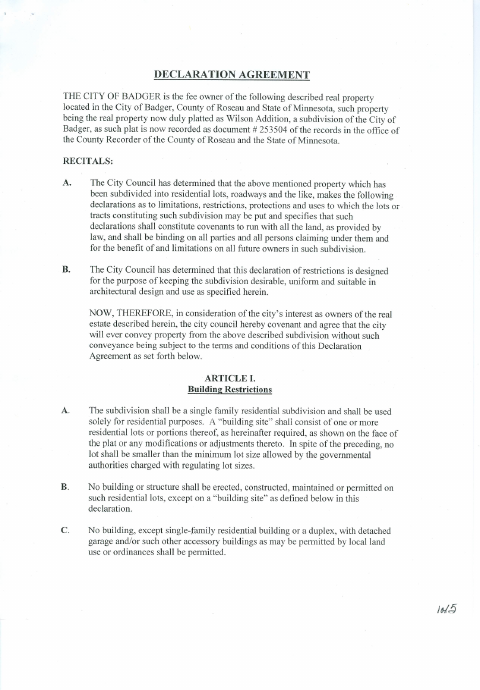
The agreement establishes residential-use, building, and property restrictions for lots in Wilson Addition, and states that its covenants bind future owners. It also describes how the restrictions may be extended, terminated, amended, or enforced. The document identifies the City of Badger as the property owner and includes an acknowledgment for the mayor and council members; the provided copy bears a Roseau County Recorder filing stamp.
Who needs it
The City of Badger officials signing the declaration agreement need it to set subdivision covenants and submit the executed document for recording.
Why it needs a notary
The form carries an acknowledgment before a notary; Mayor Charles Walsh and the named council members are identified as acknowledging the instrument.
How to get this notarized
- 1
Download The Agreement
Get the Declaration Agreement PDF from the City of Badger.
- 2
Review And Complete It
Review the agreement and complete any required information before the acknowledgment.
- 3
Book An Online Notary
Arrange an online appointment for the mayor and council members identified in the acknowledgment.
- 4
Sign On Video
The signers appear before the commissioned online notary and follow the notary’s instructions.
- 5
Submit For Recording
Submit the executed agreement for filing with the Roseau County Recorder as directed by the city.
Preview the form
The blank PDF straight from Badger. Look it over, then upload your filled copy to start the notary session.

You’ll need ID and a webcam.
A licensed online notary will join you on video, verify your government-issued ID, witness your signature, and apply their seal. You’ll receive the notarized PDF by email when the session ends.
Frequently asked questions
- How do I get the declaration agreement notarized online?
- Complete the agreement, then book with a commissioned online notary. The mayor and council members named in the acknowledgment sign during the video session and follow the notary’s instructions.
- Do I need to sign this agreement in front of a notary?
- The form includes an acknowledgment stating that the instrument was acknowledged before a notary by the mayor and named council members. Confirm who must sign with the city if unsure.
- Can a commissioned online notary notarize this in Minnesota?
- Minnesota authorizes remote online notarization for its notaries under Minn. Stat. §358.645, and Minn. Stat. §358.61 recognizes certain notarial acts performed by an authorized officer of another state.
- Where does the signed agreement go?
- The document says it is to be filed with the Roseau County Recorder and the provided copy bears a county recording stamp. Confirm the filing process with the city if unsure.