
Waite Park, MN · Stearns County
Criminal Background Check Consent
This consent form authorizes the City of Waite Park and its background-check provider to obtain and share an applicant’s criminal history for a city license application.
- licensed online notary
- ~15 min average
- Notarized PDF emailed
What you’ll need
- Government-issued photo ID
- Webcam-enabled device (laptop or phone)
- This form, ready to upload as a PDF
What this form is
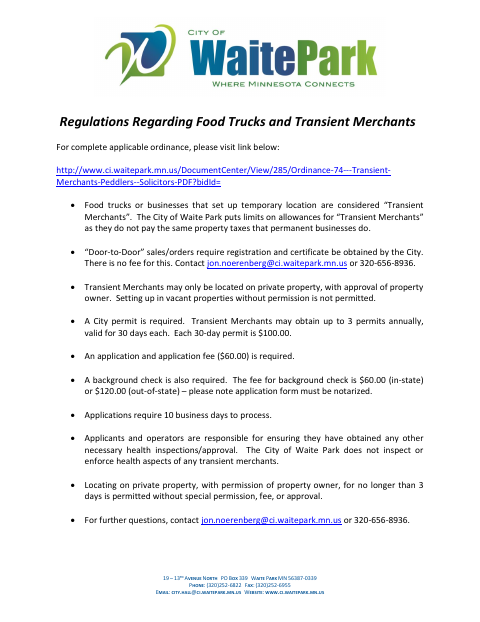
The form records an applicant’s consent for a criminal background check and authorization to obtain and disclose criminal history information for a City of Waite Park license application. The accompanying city information says applicants for transient merchant licenses must submit a notarized application and background-check fee; the ordinance included in the packet describes city licensing requirements for peddlers and transient merchants. The form’s authorization expires one year after the applicant signs.
Who needs it
A person applying for a City of Waite Park license who must provide consent for the city’s criminal background check needs to complete this form.
Why it needs a notary
The form has an acknowledgment block stating the instrument was acknowledged before a notary; the license applicant signs the consent before the notary.
How to get this notarized
- 1
Download The Form
Get the criminal background check consent form from the City of Waite Park’s form packet.
- 2
Fill In Your Information
Complete the applicant details and review the consent and authorization before signing.
- 3
Book An Online Notary
Schedule a remote notarization with a commissioned online notary.
- 4
Sign On Video
Show your identification and sign the consent during the notary’s video session.
- 5
Submit To The City
Send the notarized consent with your license application to the City of Waite Park.
Preview the form
The blank PDF straight from Waite Park. Look it over, then upload your filled copy to start the notary session.

You’ll need ID and a webcam.
A licensed online notary will join you on video, verify your government-issued ID, witness your signature, and apply their seal. You’ll receive the notarized PDF by email when the session ends.
Frequently asked questions
- How do I get this consent form notarized online?
- Complete the form, then book with a commissioned online notary. Sign during the video session when instructed, and submit the notarized consent with your license application.
- Do I need to notarize the background check consent?
- The city’s form packet says the application form must be notarized and includes an acknowledgment block for the license applicant’s signature.
- What information does this form authorize the city to obtain?
- The consent authorizes a criminal history check, including arrest, conviction, and non-conviction data, for the purpose of considering the applicant’s city license application.
- Can I sign this form with an online notary?
- Minnesota law authorizes remote online notarization by a commissioned online notary, and Minnesota recognizes notarial acts performed by an authorized officer of another state. Confirm with the city if unsure.