
Delano, MN · Wright County
Deposit Agreement
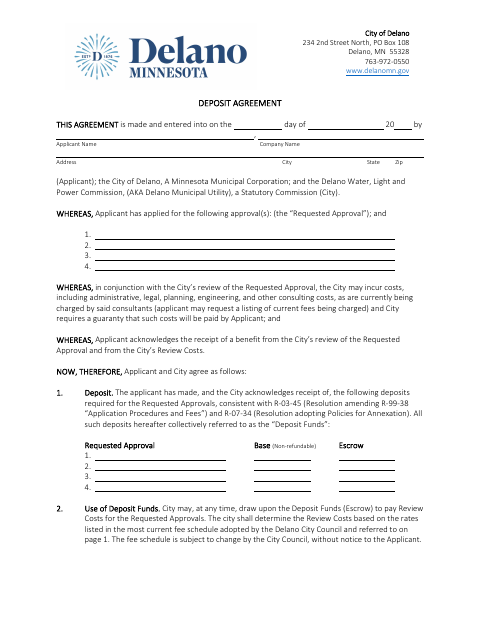
The Deposit Agreement sets terms for deposits used to pay City review costs and is signed by an applicant seeking one or more City approvals, along with City and utility representatives.
- licensed online notary
- ~15 min average
- Notarized PDF emailed
What you’ll need
- Government-issued photo ID
- Webcam-enabled device (laptop or phone)
- This form, ready to upload as a PDF
What this form is
Delano uses this agreement when an applicant requests City approvals that may involve administrative, legal, planning, engineering, or other consulting costs. It explains how the City may use escrow funds, when additional deposits are due, and how remaining balances may be returned. The agreement also includes signature and notary blocks for the applicant, City officials, and Delano Water, Light and Power Commission representatives.
Who needs it
Applicants seeking City approvals covered by required deposits, and the City and utility representatives who execute the agreement, need to sign this form.
Why it needs a notary
The form carries acknowledgment and jurat blocks; the applicant, City officials, and utility commission representatives sign and acknowledge or swear to the agreement before a notary.
How to get this notarized
- 1
Download The Agreement
Get the Deposit Agreement from the City of Delano and review its terms and notary blocks.
- 2
Fill In The Agreement
Enter applicant and requested approval details, and complete the applicable deposit information before signing.
- 3
Book An Online Notary
Schedule a remote session with a commissioned online notary for the signers who need notarization.
- 4
Sign On Video
Appear by video and follow the notary's instructions to sign, acknowledge, and complete any required oath.
- 5
Submit To The City
Send the completed agreement to the City of Delano with your approval submission.
Preview the form
The blank PDF straight from Delano. Look it over, then upload your filled copy to start the notary session.

You’ll need ID and a webcam.
A licensed online notary will join you on video, verify your government-issued ID, witness your signature, and apply their seal. You’ll receive the notarized PDF by email when the session ends.
Frequently asked questions
- How do I get the Deposit Agreement notarized online?
- Complete the agreement, then book a session with a commissioned online notary. The required signers appear by video, sign as directed, and complete the notarial steps before submitting the agreement to the City.
- Do I need to notarize every signature on this agreement?
- The form includes notary blocks for the applicant, City officials, and Delano Water, Light and Power Commission representatives. Check with the City about which blocks and signatures apply to your submission.
- Can the applicant sign and swear to the agreement remotely?
- Minnesota authorizes remote online notarization for its notaries, and Minnesota law recognizes certain notarial acts by authorized officers from other states. Ask the City whether a remotely notarized form meets its submission requirements.
- Where do I submit the completed agreement?
- The form is for the City of Delano's approval process. Submit the completed, notarized agreement to the City as directed; confirm with the city if unsure.