
Olive Branch, MS · DeSoto County
Police Employment Application
The Olive Branch Police Department application packet collects personal, education, residence, employment, and background information from people applying for police department positions, and requires notarized signatures before submission.
- licensed online notary
- ~15 min average
- Notarized PDF emailed
What you’ll need
- Government-issued photo ID
- Webcam-enabled device (laptop or phone)
- This form, ready to upload as a PDF
What this form is
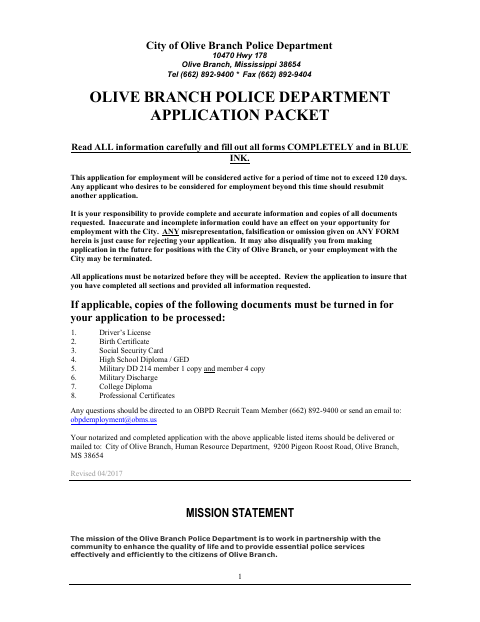
Applicants must complete the packet by hand in blue ink, provide complete and accurate information, and include applicable supporting documents. It covers personal history, education, references, residences, employment, and other background details, followed by an applicant statement and a release of personal information. The packet says applications must be notarized before acceptance and should be delivered or mailed with applicable documents to the City Human Resource Department.
Who needs it
People applying for a position with the Olive Branch Police Department must complete this packet and submit it with applicable supporting documents.
Why it needs a notary
The packet requires the applicant to sign the statement in front of a notary and includes a State of/County of personal-appearance block for the release authorization.
How to get this notarized
- 1
Download the Application Packet
Get the Olive Branch Police Department application packet from the city’s document page.
- 2
Complete the Forms
Handwrite all sections in blue ink, print legibly, and gather applicable supporting documents.
- 3
Book an Online Notary
Arrange notarization for the applicant statement and release authorization, and confirm the city will accept your notarization method.
- 4
Sign Before the Notary
Sign where indicated while appearing before the notary; do not sign the applicant statement beforehand.
- 5
Submit to the City
Deliver or mail the completed, notarized packet and applicable documents to the City Human Resource Department.
Preview the form
The blank PDF straight from Olive Branch. Look it over, then upload your filled copy to start the notary session.

You’ll need ID and a webcam.
A licensed online notary will join you on video, verify your government-issued ID, witness your signature, and apply their seal. You’ll receive the notarized PDF by email when the session ends.
Frequently asked questions
- How do I submit the completed police employment application?
- Complete the packet in blue ink, attach applicable requested documents, and deliver or mail it to the City Human Resource Department at the address printed in the application.
- Do I need to sign the application in front of a notary?
- Yes. The packet says all applications must be notarized and specifically instructs you to sign the applicant statement in front of the notary. The release authorization also has a notary block.
- Can I use a commissioned online notary for this Mississippi application?
- Mississippi requires its own notaries to notarize with the signer physically present and has not authorized remote notarization for them. Mississippi law recognizes a notarial act performed by an authorized officer of another state as having the same effect. Confirm acceptance with the City before proceeding.
- What supporting documents should I include?
- The packet lists applicable copies such as a driver’s license, birth certificate, Social Security card, diploma or GED, military documents, college diploma, and professional certificates. Confirm with the city or chancery clerk if unsure.