
Pass Christian, MS · Harrison County
Right-of-Way Utility Permit Application
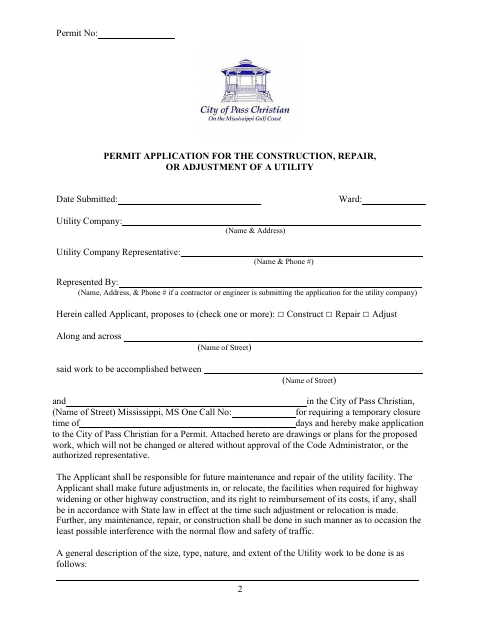
This eight-page application requests city permission to construct, repair, or adjust a utility along or across a street, and is filed by the utility company or its representative.
- licensed online notary
- ~15 min average
- Notarized PDF emailed
What you’ll need
- Government-issued photo ID
- Webcam-enabled device (laptop or phone)
- This form, ready to upload as a PDF
What this form is
The application describes proposed utility work, identifies the streets and temporary closure needs, and includes plans for city review. It also sets out applicant responsibilities for fees, bonds, construction, restoration, and inspection, followed by a completion notice and an indemnification agreement. The City of Pass Christian requires this application when a utility company seeks permission to perform the described work in a city street or right-of-way.
Who needs it
A utility company proposing street or right-of-way construction, repair, or adjustment in Pass Christian must submit the application, either directly or through a contractor or engineer.
Why it needs a notary
The indemnification agreement carries a subscribed-and-sworn jurat, and the contractor’s authorized representative must sign and swear to the agreement before the notary.
How to get this notarized
- 1
Download the Application
Get the Right-of-Way Utility Permit Application from the City of Pass Christian.
- 2
Complete the Permit Details
Enter the utility, representative, street, work description, closure details, and other requested information; attach plans as required.
- 3
Book an Online Notary
Arrange a session with a commissioned online notary for the indemnification agreement’s sworn signature.
- 4
Sign on Video
The contractor’s authorized representative signs and swears to the agreement during the online notary session.
- 5
Submit to the City
Return the completed application and required attachments to the city, and follow its instructions for fees, bonds, and completion notice.
Preview the form
The blank PDF straight from Pass Christian. Look it over, then upload your filled copy to start the notary session.

You’ll need ID and a webcam.
A licensed online notary will join you on video, verify your government-issued ID, witness your signature, and apply their seal. You’ll receive the notarized PDF by email when the session ends.
Frequently asked questions
- How do I get the indemnification agreement notarized?
- Complete the agreement, then sign and swear to it during a live online session with a commissioned online notary. Follow the city’s instructions for submitting the full permit application.
- Do I need to notarize the entire permit application?
- The form’s notary block appears after the indemnification agreement and calls for the contractor’s authorized representative to sign and swear to that agreement. Check with the city about any other submission requirements.
- Can a commissioned online notary notarize this Mississippi form?
- Mississippi requires its own notaries to notarize with the signer physically present and has not authorized RON for them. Mississippi recognizes qualifying notarial acts performed by an out-of-state notary or other authorized officer under Miss. Code §25-34-23.
- Where do I submit the completed application?
- The form directs applicants to return the completion notice to the City of Pass Christian Building Department. Confirm the submission process and any required fees or bonds with the city.
- What if I am unsure which permit details or fees apply?
- The application includes fee schedules, bond requirements, and fields for project and closure information. Confirm with the city or chancery clerk if unsure.