
Ocean Springs, MS · Jackson County
Design Review Application
The Design Review Application is for commercial and multi-family residential projects in Ocean Springs, submitted by an applicant with project, property, plan, and ownership details.
- licensed online notary
- ~15 min average
- Notarized PDF emailed
What you’ll need
- Government-issued photo ID
- Webcam-enabled device (laptop or phone)
- This form, ready to upload as a PDF
What this form is
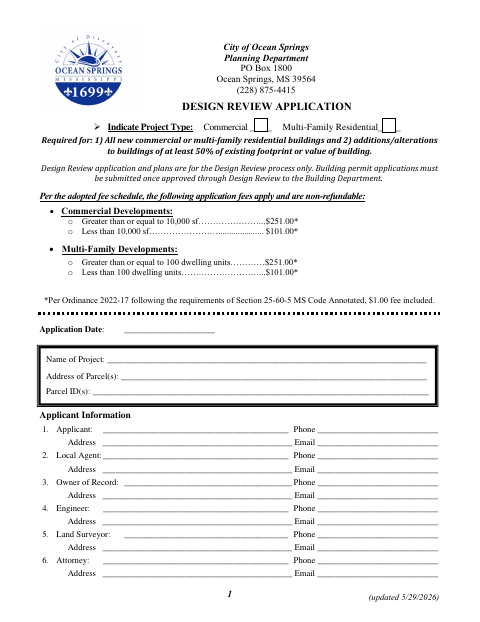
Ocean Springs requires this application for new commercial or multi-family residential buildings and for additions or alterations affecting at least 50% of a building’s existing footprint or value. Applicants provide property and project information, submit plans and supporting materials, and include a separate owner’s affidavit for each owner. Design Review approval is required before applying for a building permit; application fees are non-refundable.
Who needs it
Applicants proposing covered commercial or multi-family residential construction in Ocean Springs need this application, with each property owner submitting a separate owner’s affidavit.
How to get this notarized
- 1
Download the Application
Download the Design Review Application and review its project eligibility, submittal checklist, plan requirements, and owner’s affidavit.
- 2
Complete the Application
Fill in the project and property details, complete the required checklist, and have each owner prepare a separate affidavit.
- 3
Book an Online Notary
Arrange an appointment with a commissioned online notary for each owner who must swear to an affidavit.
- 4
Sign on Video
Show identification and sign and swear to the affidavit during the online notary video session.
- 5
Submit to the City
Include the notarized owner’s affidavit, application, plans, and required materials in the Design Review submission to the city.
Preview the form
The blank PDF straight from Ocean Springs. Look it over, then upload your filled copy to start the notary session.

You’ll need ID and a webcam.
A licensed online notary will join you on video, verify your government-issued ID, witness your signature, and apply their seal. You’ll receive the notarized PDF by email when the session ends.
Frequently asked questions
- How do I get the owner’s affidavit notarized?
- Complete the affidavit, then sign and swear to its statements before a commissioned online notary during a video appointment. Include the notarized affidavit with the application.
- Do I need a separate owner’s affidavit for each property owner?
- Yes. The application’s submittal checklist calls for all owners to submit a separate Owner’s Affidavit page.
- Can I use an online notarization for this form?
- Mississippi requires its own notaries to have the signer physically present. Mississippi law recognizes qualifying notarial acts performed by an authorized officer of another state; confirm acceptance with the city before using a commissioned online notary.
- What happens after Design Review approval?
- The form says you must receive a Design Review approval letter from the Planning Director before applying for a building permit. Submit the building permit application to the Building Department after approval.
- Where do I send the application if I am unsure?
- The form lists the City of Ocean Springs Planning Department. Confirm submission details with the city or chancery clerk if unsure.