
Senatobia, MS · Tate County
Final Plat Application and Checklist
This application and checklist organize the information and supporting materials required for a final subdivision plat, including notarized certificates for property owners and mortgagees.
- licensed online notary
- ~15 min average
- Notarized PDF emailed
What you’ll need
- Government-issued photo ID
- Webcam-enabled device (laptop or phone)
- This form, ready to upload as a PDF
What this form is
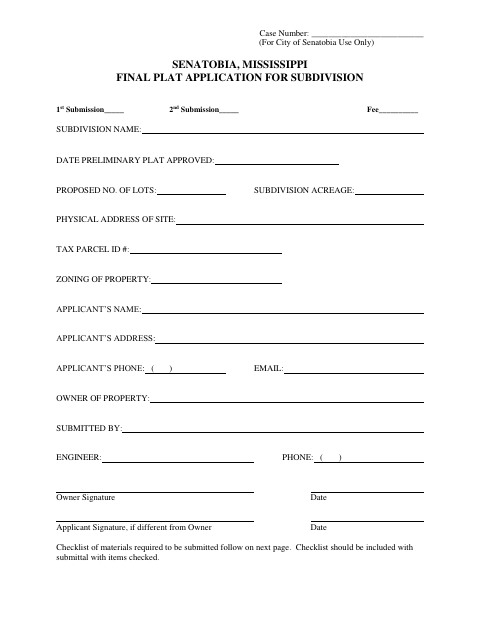
Use this four-page packet to apply for final plat review and check the required drawings, property details, certificates, and supporting documents. The checklist calls for an Owner’s Certificate and Mortgagee’s Certificate, if applicable, and says notary certificates for all owners and mortgagees must be signed and sealed. Include the completed checklist with the submittal; the application also requests the subdivision name, site information, and applicant and owner details.
Who needs it
Property owners or applicants submitting a final plat for a subdivision in Senatobia should use this application and checklist to prepare the required review materials.
Why it needs a notary
The checklist requires signed and sealed notary certificates for all owners and mortgagees; each owner and any mortgagee should sign the applicable certificate before the notary.
How to get this notarized
- 1
Download the Packet
Get the final plat application and checklist from the City of Senatobia.
- 2
Complete the Application
Enter the subdivision, site, owner, applicant, and other requested project information.
- 3
Prepare the Checklist
Review the required plat details and supporting materials, including owner and mortgagee certificates.
- 4
Book an Online Notary
Arrange notarization for the applicable owner and mortgagee certificates before signing.
- 5
Sign on Video
Each signer completes the required notarized certificate during the online notary session.
- 6
Submit to the City
Include the completed checklist and required materials with the final plat submittal to the City of Senatobia.
Preview the form
The blank PDF straight from Senatobia. Look it over, then upload your filled copy to start the notary session.

You’ll need ID and a webcam.
A licensed online notary will join you on video, verify your government-issued ID, witness your signature, and apply their seal. You’ll receive the notarized PDF by email when the session ends.
Frequently asked questions
- How do I submit the final plat application and checklist?
- Complete the application, check the required materials, and include the checklist with your submittal. The packet identifies information and certificates needed for final plat review.
- Do I need notarized certificates for this final plat?
- Yes. The checklist calls for notary certificates for all owners and mortgagees, signed and sealed. It also lists an Owner’s Certificate and a Mortgagee’s Certificate, or a note that there is no mortgagee.
- Can I use a commissioned online notary for the certificates?
- Mississippi has not authorized its own notaries to perform remote online notarizations. Mississippi law recognizes qualifying notarial acts performed by an authorized officer of another state; confirm acceptance of the notarized certificates with the city or chancery clerk if unsure.
- What materials does the checklist cover?
- It covers final plat details such as boundaries, lots, streets, easements, flood information, certificates, utility as-built drawings, and supporting covenants or approvals when applicable.