
Nevada, MO · Vernon County
Temporary or Limited Permit Picnic Liquor License Application
This application requests a temporary liquor permit or limited picnic license for an event in Nevada and is filed by the managing officer seeking permission to sell covered alcoholic beverages.
- licensed online notary
- ~15 min average
- Notarized PDF emailed
What you’ll need
- Government-issued photo ID
- Webcam-enabled device (laptop or phone)
- This form, ready to upload as a PDF
What this form is
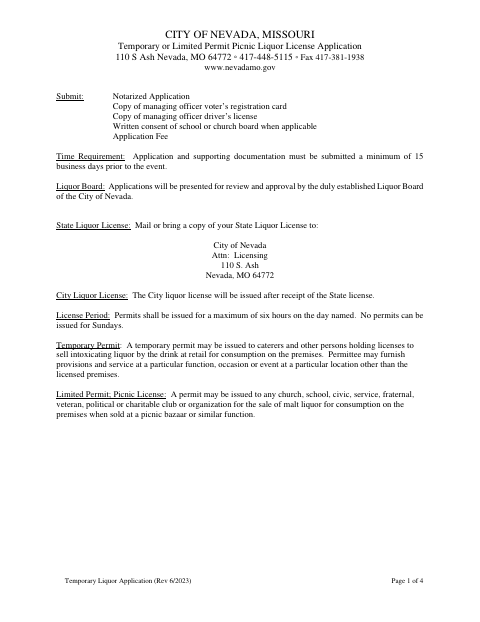
Use this four-page application to request a temporary permit for intoxicating liquor by the drink or a limited picnic license for specified malt liquor or non-intoxicating beer sales at an event. The managing officer provides event, premises, and applicant information, answers eligibility questions, and signs a sworn statement. The City of Nevada requires the notarized application and supporting documents at least 15 business days before the event; applications go to the city’s Liquor Board for review and approval.
Who needs it
A managing officer of a caterer, license holder, or qualifying organization seeking a temporary or limited permit for an event in the City of Nevada must submit this application.
Why it needs a notary
The form carries a jurat stating “Subscribed and sworn to before me”; the managing officer signs the application and swears that its facts are true before the notary.
How to get this notarized
- 1
Download the Application
Get the Temporary or Limited Permit Picnic Liquor License Application from the City of Nevada.
- 2
Fill Out the Form
Enter the managing officer, business, event, premises, and eligibility details. Gather the required supporting documents and fee.
- 3
Book an Online Notary
Schedule a session with a commissioned online notary for the managing officer’s sworn signature.
- 4
Sign on Video
The managing officer signs and swears that the application facts are true while meeting with the notary online.
- 5
Submit to the City
Submit the notarized application and supporting documents to the City of Nevada at least 15 business days before the event.
Preview the form
The blank PDF straight from Nevada. Look it over, then upload your filled copy to start the notary session.

You’ll need ID and a webcam.
A licensed online notary will join you on video, verify your government-issued ID, witness your signature, and apply their seal. You’ll receive the notarized PDF by email when the session ends.
Frequently asked questions
- How do I get the liquor permit application notarized online?
- Complete the application, then book with a commissioned online notary. The managing officer signs and swears to the application during a video session; submit the notarized form and required supporting documents to the City of Nevada.
- Do I need to submit the application before my event?
- Yes. The form says to submit the application and supporting documentation at least 15 business days before the event. It also lists a notarized application, specified identification copies, a fee, and written consent when applicable.
- Who signs in front of the notary?
- The managing officer signs the application and swears that the facts provided are true. The notary completes the form’s “Subscribed and sworn to before me” jurat.
- Can this permit be used for Sunday sales?
- The application states that no permits can be issued for Sundays. For questions about your event or application, confirm with the city or town if unsure.
- Is remote online notarization available for this form?
- Missouri authorizes remote online notarization by a commissioned online notary. Ask the City of Nevada whether it accepts this application notarized online before submitting it.