
Grant City, MO · Worth County
Declaration of Candidacy
This declaration lets a qualified voter state their candidacy for Grant City office and request placement on the municipal election ballot; candidates file it with the City Clerk.
- licensed online notary
- ~15 min average
- Notarized PDF emailed
What you’ll need
- Government-issued photo ID
- Webcam-enabled device (laptop or phone)
- This form, ready to upload as a PDF
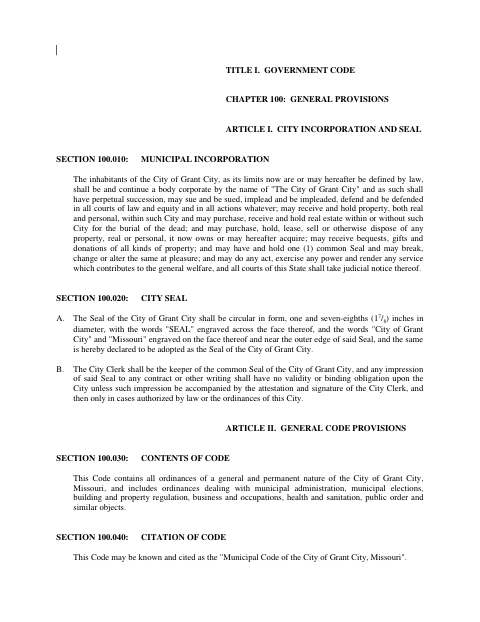
What this form is
The declaration states the candidate’s residence, voter qualification, intended office, election date, and promise to serve if elected. Grant City’s code says candidates seeking an elective city office must file a written declaration with the City Clerk during the stated filing period; the included form also requires the candidate to swear to the statements.
Who needs it
A person seeking an elective Grant City office who meets the required qualifications and wants their name placed on the municipal election ballot needs this declaration.
Why it needs a notary
The form includes a “Subscribed and sworn to before me” jurat; the candidate signs and swears to the declaration before the notary.
How to get this notarized
- 1
Get the Declaration
Download the municipal code PDF and locate the Declaration of Candidacy form in Section 105.050.
- 2
Complete the Form
Enter your residence, the office you seek, and the municipal election date, and review each statement.
- 3
Book an Online Notary
Arrange an appointment with a commissioned online notary, and confirm the City Clerk accepts online notarization.
- 4
Sign on Video
Appear before the notary by video, take the required oath, and sign when instructed.
- 5
File with the City
Submit the completed, notarized declaration to the Grant City Clerk within the applicable filing period.
Preview the form
The blank PDF straight from Grant City. Look it over, then upload your filled copy to start the notary session.

You’ll need ID and a webcam.
A licensed online notary will join you on video, verify your government-issued ID, witness your signature, and apply their seal. You’ll receive the notarized PDF by email when the session ends.
Frequently asked questions
- How do I complete the Declaration of Candidacy?
- Fill in your residence, the office you seek, the election date, and the other requested statements. Sign and swear to the declaration before a notary, then file it with the City Clerk.
- Do I need to sign this declaration in front of a notary?
- Yes. The form says it must be subscribed and sworn to before the notary, so wait to sign until you are with the notary.
- Can I use an online notary for this form?
- Missouri authorizes remote online notarization for its own notaries. Ask the City Clerk whether the city will accept this declaration notarized online; confirm with the city or town if unsure.
- Where do I file the completed declaration?
- The code directs candidates for elective city office to file the written declaration with the Grant City Clerk within the stated filing period. Check with the Clerk about current deadlines and submission details.