
Glendive, MT · Dawson County
Sworn Petition for Temporary Order of Protection
This sworn petition asks a Montana court for a temporary order of protection and a hearing. The PDF includes the petition, oath certificate, and a parenting appendix.
- licensed online notary
- ~15 min average
- Notarized PDF emailed
What you’ll need
- Government-issued photo ID
- Webcam-enabled device (laptop or phone)
- This form, ready to upload as a PDF
What this form is
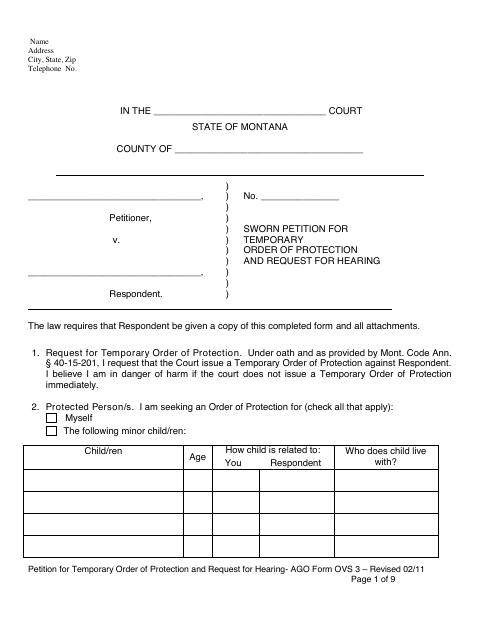
This blank Montana petition is linked by Glendive’s municipal source. It records the requested protection, supporting facts, related cases, and requested relief. The petitioner signs under oath, and the certificate allows a judge, clerk, or notary to administer the oath. Notarization alone does not create an order of protection; a judge must act on a filed petition. Contact the appropriate court or a victim advocate for current local forms and urgent filing assistance. Do not delay urgent court help to arrange a paid online notarization. Confirm whether the court accepts the chosen notarization format.
Who needs it
People directed by the appropriate court to use this sworn petition when seeking an order of protection.
Why it needs a notary
The petition is sworn. Page eight allows certification by a judge, clerk, or notary, so a separately purchased notary service is not necessarily required.
How to get this notarized
- 1
Download and review
Download the official PDF and read the instructions. Confirm that this form applies to your situation.
- 2
Confirm requirements
Check current submission requirements with the receiving office, including whether it accepts an electronically notarized document.
- 3
Complete your information
Fill in the applicable information and gather supporting documents. Leave notarial certificates for the notary.
- 4
Arrange notarization if needed
If your situation requires notarization, book a session with a commissioned online notary and follow the identity-verification instructions.
- 5
Sign and submit
Complete the notarial act during the session, then submit the finished document and required supporting materials to the receiving office.
Preview the form
The blank PDF straight from Glendive. Look it over, then upload your filled copy to start the notary session.

You’ll need ID and a webcam.
A licensed online notary will join you on video, verify your government-issued ID, witness your signature, and apply their seal. You’ll receive the notarized PDF by email when the session ends.
Frequently asked questions
- How do I complete this form?
- Download the original PDF, follow its instructions, and complete the information that applies to you. Leave any signature requiring notarization unsigned until the session.
- Do I need a notary for this form?
- The petition must be sworn, but its certificate permits a judge, clerk, or notary. Ask the court about its process and free court or advocacy assistance before booking any paid service.
- Can I use an online notary?
- Confirm with the receiving office that it accepts an electronically notarized version for your situation before booking a session with a commissioned online notary.
- Where do I submit the completed form?
- Contact the appropriate court for current local forms, filing instructions, and available oath administration. Submit the petition and required attachments to that court; notarization does not issue a protection order.