
Pennsauken, MT · Camden County
Multipurpose Room Permit Application
This application lets a business or applicant request permission from the Pennsauken Fire Marshal for a multipurpose room change of use.
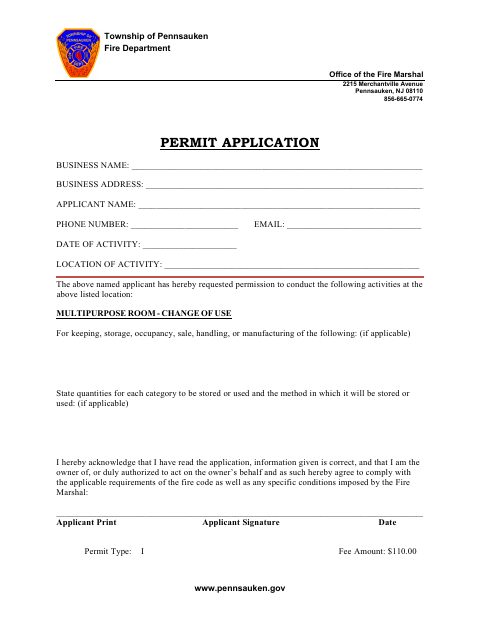
What this form is
Use this application to request permission for a multipurpose room change of use at a listed location. It asks for the business and applicant’s contact details, activity date and location, and information about materials to be stored or used, including quantities and storage or use methods when applicable. The applicant also acknowledges fire code requirements and signs and dates the application.
Who needs it
A business or authorized applicant seeking permission for a multipurpose room change of use can complete this application.
How to submit it
Submit it to the city department named on the form; check the city website for current contact details.
About notarization
This application is signed and dated without a notary; it includes no sworn or notarized attachment, so the applicant just signs and dates it.
How to submit this form
- 1
Download The Application
Download the Multipurpose Room Permit Application PDF.
- 2
Complete The Form
Provide the business and applicant details, activity date and location, and applicable material, quantity, and storage or use information.
- 3
Sign And Date
Read the acknowledgment, then print your name, sign, and date the application.
- 4
Submit To The City
Submit it to the city department named on the form; check the city website for current contact details.
Frequently asked questions
- What is the Multipurpose Room Permit Application for?
- It is used to request permission for a multipurpose room change of use at the activity location listed on the application.
- What information does the application ask for?
- It asks for business and applicant contact information, the activity date and location, and applicable details about materials, quantities, and storage or use methods.
- Do I need a notary for the Multipurpose Room Permit Application?
- No. The application is signed and dated without a notary, and it includes no sworn or notarized attachment.
- How do I submit the Multipurpose Room Permit Application?
- Submit it to the city department named on the form; check the city website for current contact details.
Need something notarized?
This Multipurpose Room Permit Application doesn’t need a notary — but if you have another Pennsauken form that does, a commissioned online notary can help.