
Woodlynne, MT · Camden County
Fire Subcode Application
This application records project, contractor, and fire-protection details for applicants seeking fire subcode review and approval.
What this form is
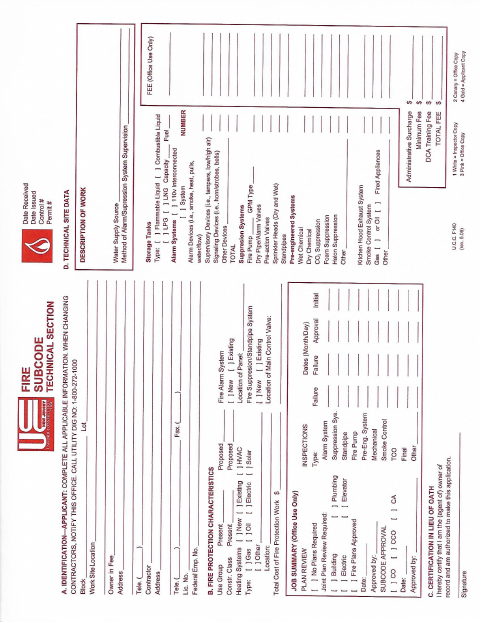
The Fire Subcode Application records technical project information, contractor and owner details, and characteristics of existing or proposed fire-protection systems. It includes sections for plan review, approvals, and inspections, along with a certification for the owner or authorized agent to sign. The form does not state when the city requires it or provide submission instructions.
Who needs it
Applicants seeking fire subcode review can use this form to provide project details and request review or approval.
How to submit it
Submit it to the city department named on the form; check the city website for current contact details.
About notarization
This document is signed without a notary; the owner or authorized agent certifies and signs the application, then dates it.
How to submit this form
- 1
Download The Application
Download the Fire Subcode Application PDF.
- 2
Complete The Form
Fill in the owner, contractor, project, and fire-protection system information requested.
- 3
Gather Supporting Information
Include any project information or plans needed for the plan review sections.
- 4
Sign And Submit
Have the owner or authorized agent certify, sign, and date the form, then submit it to the city department named on the form.
Frequently asked questions
- Do I need a notary for the Fire Subcode Application?
- No. The owner or authorized agent certifies, signs, and dates this application without a notary.
- How do I submit the Fire Subcode Application?
- The form does not provide submission instructions. Submit it to the city department named on the form and check the city website for current contact details.
- What information does the application ask for?
- It asks for owner, contractor, and project details, including the work description, fire-protection system characteristics, and information for plan review and inspections.
Need something notarized?
This Fire Subcode Application doesn’t need a notary — but if you have another Woodlynne form that does, a commissioned online notary can help.