
Cedar Grove, NJ · Essex County
Retail Alcoholic Beverage License Application
This application requests a retail alcoholic beverage license or reports certain license changes, and applicants file it with the municipal clerk or local Alcoholic Beverage Control board secretary.
- licensed online notary
- ~15 min average
- Notarized PDF emailed
What you’ll need
- Government-issued photo ID
- Webcam-enabled device (laptop or phone)
- This form, ready to upload as a PDF
What this form is
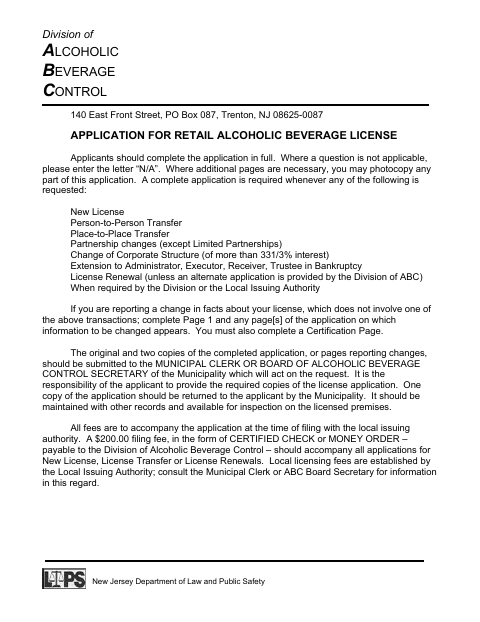
The 13-page application collects information about the applicant, business, licensed premises, ownership, and eligibility. Cedar Grove applicants use it for a new license, renewal, license transfer, specified ownership or corporate changes, and other requests identified on the form. The form instructs applicants to submit the original and two copies, include required fees, and complete the affidavit and certification before filing with the local issuing authority.
Who needs it
Individuals, partnerships, corporations, clubs, or other applicants seeking a retail alcoholic beverage license or reporting a covered license change must complete the applicable sections.
How to get this notarized
- 1
Download The Application
Download the retail alcoholic beverage license application and review the instructions for your application type.
- 2
Complete The Applicable Sections
Fill in the required information, enter N/A where a question does not apply, and prepare any required attachments and copies.
- 3
Book An Online Notary
Book a commissioned online notary for the affidavit on page 11; have the authorized signer ready to present identification.
- 4
Sign During The Video Session
The authorized applicant or representative swears to the affidavit and signs before the notary during the online session.
- 5
Submit The Application
File the original and two copies, required fees, and attachments with the municipal clerk or local ABC board secretary.
Preview the form
The blank PDF straight from Cedar Grove. Look it over, then upload your filled copy to start the notary session.

You’ll need ID and a webcam.
A licensed online notary will join you on video, verify your government-issued ID, witness your signature, and apply their seal. You’ll receive the notarized PDF by email when the session ends.
Frequently asked questions
- How do I get the application affidavit notarized online?
- Complete the application, then book a commissioned online notary. The person authorized to sign completes the affidavit and signs during the video session; submit the application as directed by the municipal clerk or ABC board secretary.
- Do I need to notarize the entire application?
- The form identifies the affidavit on page 11 for signing before a notary or New Jersey attorney at law. Follow the form’s instructions and ask the local issuing authority about any additional requirements.
- Who signs the affidavit?
- The form lists the individual applicant, partnership members, or an authorized corporate officer, depending on the applicant type. The person signing swears that the application is complete and true.
- Where do I file the completed application?
- The form directs applicants to submit the original and two copies to the municipal clerk or the municipality’s Alcoholic Beverage Control board secretary, with required fees.
- Can I use a remote online notary for this form?
- New Jersey permanently authorizes remote online notarization and remote ink notarization for its own notaries. A commissioned online notary may notarize remotely; confirm with the municipality if unsure.
Retail Alcoholic Beverage License Application in other Essex County cities
Each city publishes its own version of this form. Pick the city where you’re filing.