
Harrison, NJ · Hudson County
Rooftop Wireless Facility Development Application
This development application requests Harrison land-use approvals for T-Mobile’s proposed rooftop wireless facility and is filed with the Town’s Planning Board or Board of Adjustment.
- licensed online notary
- ~15 min average
- Notarized PDF emailed
What you’ll need
- Government-issued photo ID
- Webcam-enabled device (laptop or phone)
- This form, ready to upload as a PDF
What this form is
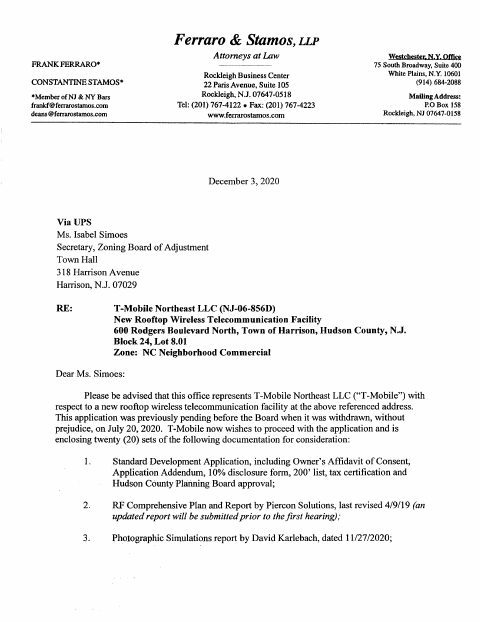
The application describes the proposed wireless equipment, property, requested variances, and supporting plans and reports for a rooftop facility at 600 Rodgers Boulevard North. The packet identifies Harrison’s Planning Board or Board of Adjustment as the reviewing body and instructs applicants to submit the completed application to the Board Secretary with the required application and escrow fees. It also includes applicant certifications and owner consent materials.
Who needs it
An applicant seeking Harrison land-use or variance approvals for a rooftop wireless facility should file this application with the appropriate Board.
Why it needs a notary
The application carries a sworn-to and subscribed-before-me jurat for the applicant’s certification, and the ownership and consent affidavits also include notary blocks for the signing owner.
How to get this notarized
- 1
Download The Application
Get Harrison’s Standard Development Application and review the included certification and owner affidavit materials.
- 2
Complete The Required Sections
Fill in the applicant, property, approvals, variance, and certification information that applies to your project.
- 3
Book An Online Notary
Arrange a session with a commissioned online notary for each required notarized signature.
- 4
Sign During The Video Session
Sign the applicable certification or owner affidavit in front of the notary, who completes the notarial block.
- 5
Submit The Application To Harrison
Send the completed application and required fees to the Board Secretary as directed by the Town.
Preview the form
The blank PDF straight from Harrison. Look it over, then upload your filled copy to start the notary session.

You’ll need ID and a webcam.
A licensed online notary will join you on video, verify your government-issued ID, witness your signature, and apply their seal. You’ll receive the notarized PDF by email when the session ends.
Frequently asked questions
- How do I get the applicant certification notarized?
- Complete the application, then sign its certification in front of a commissioned online notary during a video session. The notary completes the jurat after administering the oath.
- Do I need the property owner to sign?
- The packet includes an Affidavit of Ownership and an Affidavit of Owner’s Consent with owner signature and notary blocks. Check which materials apply to your application.
- Can I use remote online notarization for this application?
- New Jersey permanently authorizes remote online and remote ink notarization for its own notaries. An authorized officer’s notarial act performed in another state has the same effect under N.J.S.A. 52:7-10.14.
- Where do I submit the completed application?
- The form instructs applicants to submit the completed application to the Board Secretary with the proper application and escrow fees. Confirm the current submission process with Harrison if unsure.