
Robbinsville Township, MT · Mercer County
Sewer Utility E-Bill Registration
Robbinsville Township sewer customers use this form to authorize email delivery of utility bills instead of receiving paper statements by mail.
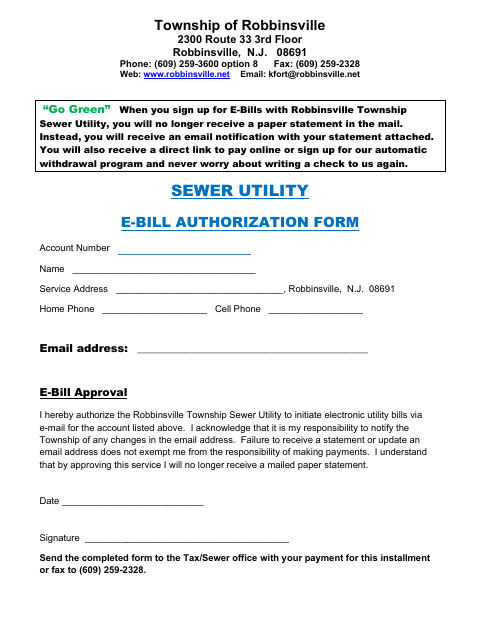
What this form is
This form authorizes the Robbinsville Township Sewer Utility to email bills for the account listed. It asks for the account number, customer name, service address, phone numbers, and email address, along with a dated signature. By approving email billing, the signer agrees to notify the Township of email changes and remains responsible for payment even if a statement is not received.
Who needs it
A Robbinsville Township Sewer Utility customer who wants to receive bills by email instead of by mail should complete this form.
How to submit it
Send the completed form to the Tax/Sewer office with your payment for this installment, or fax it to (609) 259-2328.
About notarization
This form is signed and dated without a notary; it lists no notarized attachment or sworn step.
How to submit this form
- 1
Download The Form
Download the Sewer Utility E-Bill Registration form.
- 2
Complete The Form
Enter your account and contact information, then sign and date the authorization.
- 3
Check For Attachments
The form does not list any required attachments.
- 4
Submit The Form
Send it to the Tax/Sewer office with your payment for this installment, or fax it to (609) 259-2328.
Frequently asked questions
- Do I need a notary for the Sewer Utility E-Bill Registration?
- No. The form asks for a signature and date, but does not require notarization or list a notarized attachment or sworn step.
- How do I submit the E-Bill Registration?
- Send the completed form to the Tax/Sewer office with your payment for this installment, or fax it to (609) 259-2328.
- What information does the form ask for?
- It asks for your sewer account number, name, service address, home and cell phone numbers, email address, and dated signature.