
Morristown, NJ · Morris County
Recreation Facility Hold Harmless Agreement
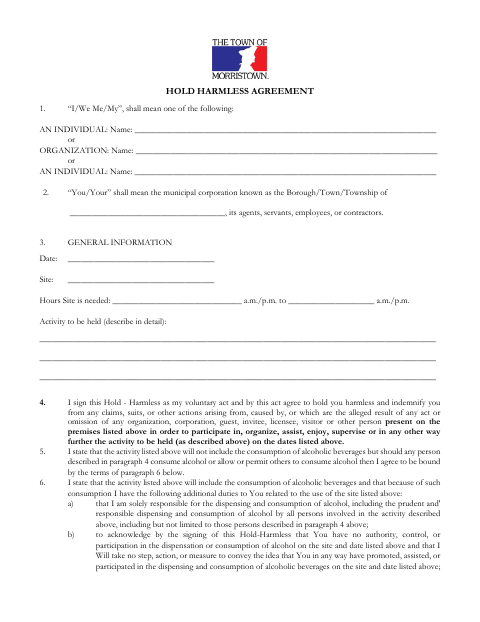
This agreement is for individuals and organizations seeking to use a municipal site for an activity and sets out their responsibilities for claims, alcohol, and insurance.
- licensed online notary
- ~15 min average
- Notarized PDF emailed
What you’ll need
- Government-issued photo ID
- Webcam-enabled device (laptop or phone)
- This form, ready to upload as a PDF
What this form is
Applicants provide the event date, site, hours, activity details, and signer information, then agree to hold the municipality harmless for specified claims connected with the event. The form also addresses alcohol-related responsibilities and insurance requirements, including when the municipal officer requires a certificate of insurance. The attached checklist covers insurance documents for recreation facility use; the form identifies a corporate acknowledgment for corporate signers.
Who needs it
Individuals or organizations applying to use a municipal recreation facility for an activity should complete the agreement and provide the insurance documents applicable to their event.
Why it needs a notary
The form carries a corporate acknowledgment with a sworn statement and jurat; the corporate representative named in that block signs and swears before the notary.
How to get this notarized
- 1
Download the Agreement
Get the Hold Harmless Agreement and review the recreation facility checklist.
- 2
Fill In Event Details
Enter the applicant, site, date, hours, activity, and relevant alcohol and insurance information.
- 3
Book an Online Notary
If the corporate acknowledgment applies, arrange a commissioned online notary for the representative's sworn signature.
- 4
Sign on Video
Follow the notary's instructions and sign and swear to the acknowledgment during the remote session.
- 5
Submit to the Municipality
Send the completed agreement and applicable insurance documents with your facility-use materials.
Preview the form
The blank PDF straight from Morristown. Look it over, then upload your filled copy to start the notary session.

You’ll need ID and a webcam.
A licensed online notary will join you on video, verify your government-issued ID, witness your signature, and apply their seal. You’ll receive the notarized PDF by email when the session ends.
Frequently asked questions
- How do I get the corporate acknowledgment notarized?
- Complete the relevant corporate details, then have the named representative sign and swear to the statement before a notary. Do not sign the acknowledgment ahead of the notarial appointment.
- Do I need a notary for every version of this agreement?
- The form includes a corporate acknowledgment with a jurat. Its text does not show a separate notary block for individual signers; confirm your signing requirements with the municipality if unsure.
- Can I use an online notary for this form?
- New Jersey has permanently authorized remote online notarization and remote ink notarization for its own notaries since October 2021. A commissioned online notary may perform a remote notarization when the form and receiving office accept it.
- What insurance documents does the checklist mention?
- The checklist calls for evidence of general liability insurance and lists policy, coverage, event-date, and certificate-holder details to check. The agreement also says the municipal officer may require special events insurance.
- How do I submit the completed agreement?
- Submit the signed agreement and applicable insurance evidence with your recreation facility use materials. The form text does not specify a submission method or deadline for the agreement itself; confirm with the municipality if unsure.