
Manville, NJ · Somerset County
Written Consent to Transfer
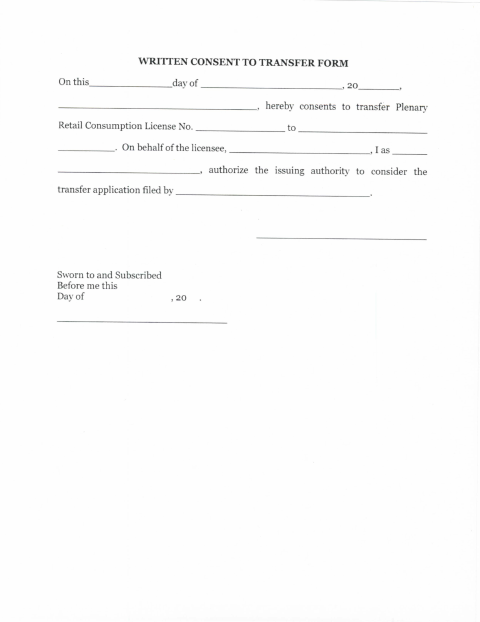
This form records a licensee’s written consent to transfer a Plenary Retail Consumption License and authorizes the issuing authority to consider the transfer application.
- licensed online notary
- ~15 min average
- Notarized PDF emailed
What you’ll need
- Government-issued photo ID
- Webcam-enabled device (laptop or phone)
- This form, ready to upload as a PDF
What this form is
The form documents consent to transfer a Plenary Retail Consumption License to another party and authorizes the issuing authority to consider the filed transfer application. The licensee, or someone signing on the licensee’s behalf, completes the consent and takes it to a notary for the required sworn statement. The form does not identify additional supporting documents or explain where to submit the transfer application.
Who needs it
A licensee seeking to transfer a Plenary Retail Consumption License, or an authorized person signing on the licensee’s behalf, uses this form.
Why it needs a notary
The form includes a “Sworn to and Subscribed Before me” jurat, which the licensee or person signing on the licensee’s behalf completes before the notary.
How to get this notarized
- 1
Download The Form
Get the Written Consent to Transfer form from the Manville municipal website.
- 2
Fill In The Consent
Enter the date, license number, transferee, and licensee information requested on the form.
- 3
Book An Online Notary
Arrange an online notarization session for the person signing on behalf of the licensee.
- 4
- 5
Submit To The City
Submit the notarized consent with the transfer application as directed by the issuing authority.
Preview the form
The blank PDF straight from Manville. Look it over, then upload your filled copy to start the notary session.

You’ll need ID and a webcam.
A licensed online notary will join you on video, verify your government-issued ID, witness your signature, and apply their seal. You’ll receive the notarized PDF by email when the session ends.
Frequently asked questions
- How do I get the Written Consent to Transfer notarized?
- Complete the consent details, then meet with a commissioned online notary by video. Sign and swear to the form during the session, and submit it with your transfer application as directed.
- Do I need to sign this form in front of a notary?
- Yes. The form includes a “Sworn to and Subscribed Before me” jurat, so the signer must take the oath and sign before the notary.
- Can I use remote online notarization for this form?
- New Jersey has permanently authorized remote online notarization and remote ink notarization for its own notaries since October 2021. An authorized officer performing a notarial act in another state has the same effect under N.J.S.A. 52:7-10.14.
- Where do I submit the notarized consent?
- The form authorizes the issuing authority to consider the transfer application but does not give submission instructions. Check with the municipality about where and how to file; confirm with the municipality if unsure.