
Cedar Point, NC · Carteret County
Owner Affidavit for Substantial Improvement or Repair of Substantial Damage
This affidavit lets a property owner attest to the complete scope and estimated cost of work described in a permit application for an existing building.
- licensed online notary
- ~15 min average
- Notarized PDF emailed
What you’ll need
- Government-issued photo ID
- Webcam-enabled device (laptop or phone)
- This form, ready to upload as a PDF
What this form is
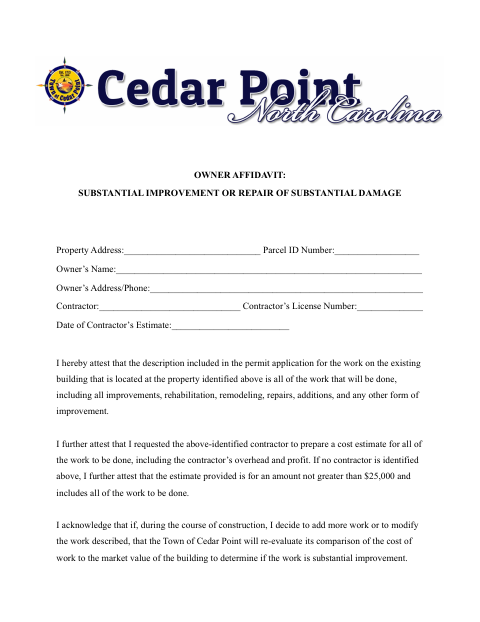
The owner identifies the property, contractor, and estimate, then attests that the permit application describes all planned work and that the estimate covers it. The form warns that adding or changing work may lead the Town of Cedar Point to re-evaluate the cost against the building’s market value, require a permit revision, or impose additional requirements. The owner also acknowledges possible enforcement or fines for unreported work.
Who needs it
A property owner uses this affidavit when a permit application describes work on an existing building and the Town of Cedar Point requests the attestation.
Why it needs a notary
The form has an acknowledgment block; the property owner signs before the notary and acknowledges voluntarily signing for the stated purpose and in the indicated capacity.
How to get this notarized
- 1
Download The Affidavit
Get the Owner Affidavit for Substantial Improvement or Repair of Substantial Damage from the Town of Cedar Point.
- 2
Complete The Form
Fill in the property, owner, contractor, and estimate details, and review the work description and attestations.
- 3
Book An Online Notary
Confirm the town accepts online notarization, then book a commissioned online notary.
- 4
Sign Before The Notary
Sign the acknowledgment when directed by the notary; do not sign beforehand.
- 5
Submit To The Town
Return the notarized affidavit with your permit application as directed by the Town of Cedar Point.
Preview the form
The blank PDF straight from Cedar Point. Look it over, then upload your filled copy to start the notary session.

You’ll need ID and a webcam.
A licensed online notary will join you on video, verify your government-issued ID, witness your signature, and apply their seal. You’ll receive the notarized PDF by email when the session ends.
Frequently asked questions
- How do I complete the owner affidavit?
- Enter the property, owner, contractor, and estimate details, review the work description and attestations, then sign the acknowledgment before a notary.
- Do I need to include every planned repair or improvement?
- Yes. The affidavit says the permit description and estimate must include all work, including improvements, repairs, additions, and other changes.
- Can I notarize this form online in North Carolina?
- North Carolina’s remote electronic notarization program has not launched. Emergency video notarization requires both the signer and notary to be in North Carolina and is not remote online notarization. Confirm acceptance with the town before booking a commissioned online notary.
- What if I add or change work after submitting the form?
- The form says the town may re-evaluate the work’s cost against the building’s market value. A change may require a permit revision or additional requirements; confirm with the city or town if unsure.