
Duck, NC · Dare County
Building Code Summary for All Commercial Projects
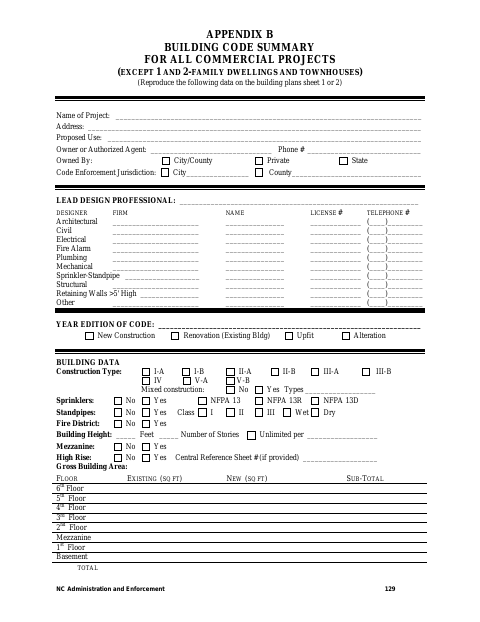
This building code summary records project, design, construction, life-safety, structural, and energy information for commercial project plans submitted for review.
What this form is
The summary is for commercial projects other than one- and two-family dwellings and townhouses, and its instructions say to reproduce the information on sheet 1 or 2 of the building plans. It collects project details, design professional information, building and occupancy data, fire protection and exit information, structural design loads, plumbing fixtures, parking, and energy, electrical, and mechanical summaries.
Who needs it
Design professionals and project representatives preparing building plans for a commercial project, other than a one- or two-family dwelling or townhouse, need this summary.
How to submit it
Submit it to the city department named on the form; check the city website for current contact details.
About notarization
This document is signed without a notary; the signer just signs and dates it.
How to submit this form
- 1
Download The Summary
Download the Building Code Summary for All Commercial Projects PDF.
- 2
Complete The Project Information
Provide the project, owner or agent, design professional, building, and code information requested.
- 3
Gather Plan Information
Complete the applicable life-safety, structural, plumbing, parking, energy, electrical, and mechanical sections using the project plans.
- 4
Submit To The City
Reproduce the summary on sheet 1 or 2 of the building plans and submit it to the city department named on the form.
Frequently asked questions
- What is the Building Code Summary for All Commercial Projects?
- It is a summary sheet for commercial project plans that records project, building, life-safety, structural, and energy information.
- Who uses this building code summary?
- Project representatives and design professionals use it to provide information for commercial project plans. It excludes one- and two-family dwellings and townhouses.
- Do I need a notary for the Building Code Summary?
- No. This document is signed without a notary; the signer just signs and dates it.
- How do I submit the building code summary?
- Submit it to the city department named on the form; check the city website for current contact details.
Need something notarized?
This Building Code Summary for All Commercial Projects doesn’t need a notary — but if you have another Duck form that does, a commissioned online notary can help.