
High Shoals, NC · Gaston County
Auto Pay Withdrawal Form
This form lets a customer authorize automatic withdrawals from a bank account to pay a company for goods or services.
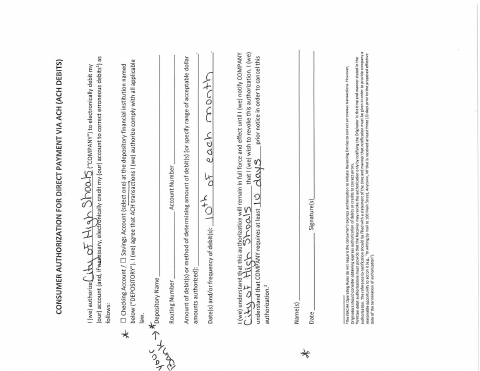
What this form is
The form authorizes recurring electronic withdrawals from a bank account to pay a company for goods or services. The account holder provides account and routing information and authorizes the withdrawals under the terms stated on the form. Use it when arranging automatic payments through the city; the document text does not specify which city services or bills are covered.
Who needs it
A customer who wants to authorize automatic bank-account withdrawals to pay a company for goods or services needs this form.
How to submit it
Submit it to the city department named on the form; check the city website for current contact details.
About notarization
This document is signed without a notary; the signer just signs and dates the authorization.
How to submit this form
- 1
Download the Form
Download the Auto Pay Withdrawal Form PDF.
- 2
Complete the Form
Provide the requested bank account and routing information and review the withdrawal authorization.
- 3
Sign and Date
Sign and date the authorization; the form does not require notarization.
- 4
Submit to the City
Submit it to the city department named on the form; check the city website for current contact details.
Frequently asked questions
- What does the Auto Pay Withdrawal Form authorize?
- It authorizes recurring electronic withdrawals from a bank account to pay a company for goods or services.
- What information does the form ask for?
- The form asks for bank account and routing information and includes authorization for automatic withdrawals.
- Do I need a notary for the Auto Pay Withdrawal Form?
- No. This document is signed without a notary; the signer just signs and dates the authorization.
- How do I submit the Auto Pay Withdrawal Form?
- Submit it to the city department named on the form; check the city website for current contact details.