
Webster, NC · Jackson County
Application for Zoning Text or Map Amendment
This six-page application requests a Town of Webster zoning text or map amendment and is filed by an eligible applicant, such as a property owner or town citizen, with supporting materials and the required fee.
- licensed online notary
- ~15 min average
- Notarized PDF emailed
What you’ll need
- Government-issued photo ID
- Webcam-enabled device (laptop or phone)
- This form, ready to upload as a PDF
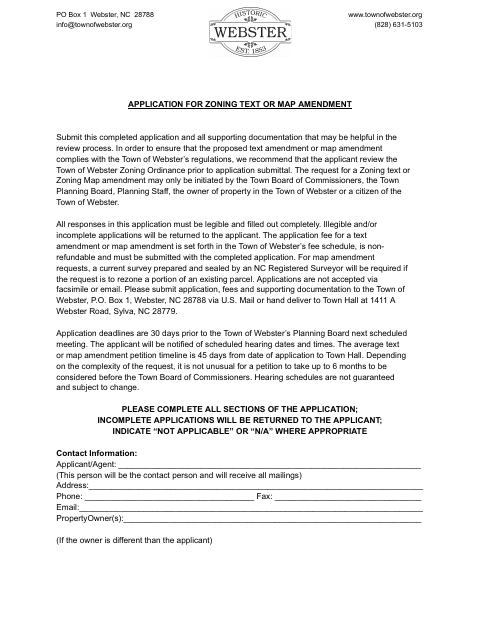
What this form is
Use this application to ask the Town of Webster to change zoning text or a property's zoning map designation. The form requests applicant and property details, the current and requested zoning, explanations of land-use consistency and community impacts, and supporting documents. Submit the completed application, required copies, materials, and non-refundable fee by mail or hand delivery; the town says faxed, scanned, or copied images of the original document will not be accepted.
Who needs it
A property owner or other person eligible under the form's instructions must submit it to request a zoning text or map amendment in the Town of Webster.
Why it needs a notary
The owner authorization carries a sworn-to and subscribed-before-me jurat; the property owner must sign that statement before a notary when the form's authorization applies.
How to get this notarized
- 1
Download the Application
Get the Town of Webster's Application for Zoning Text or Map Amendment and review its instructions and submission requirements.
- 2
Complete the Form
Fill in all applicable sections legibly and gather the supporting documents, required copies, and non-refundable application fee.
- 3
Book an Online Notary
If the owner authorization requires notarization, arrange an appointment with a commissioned online notary and confirm the town's document requirements.
- 4
Sign Before the Notary
The property owner signs the authorization before the notary, who completes the jurat. Follow the notary's instructions for the signing.
- 5
Submit to the Town
Mail or hand-deliver the application, original document, fee, and supporting materials to the Town of Webster as directed on the form.
Preview the form
The blank PDF straight from Webster. Look it over, then upload your filled copy to start the notary session.

You’ll need ID and a webcam.
A licensed online notary will join you on video, verify your government-issued ID, witness your signature, and apply their seal. You’ll receive the notarized PDF by email when the session ends.
Frequently asked questions
- How do I get the owner authorization notarized?
- The property owner signs the authorization before a notary, who completes the sworn-to and subscribed-before-me jurat. Check the town's original-document submission rules before sending the application.
- Do I need a notary for this zoning amendment application?
- The form calls for the owner's signature to be notarized when the person requesting town action is not the property owner or someone under contract to purchase. Follow the authorization section's instructions for your situation.
- Can I use online notarization for this form?
- North Carolina's remote electronic notarization program has not launched. Emergency video notarization is a separate process requiring both signer and notary to be inside North Carolina. Confirm with the city or town if unsure whether it will accept your notarized document.
- Can I email or fax the completed application?
- No. The form says applications are not accepted by fax or email and that faxed, scanned, or copied images of the original document will not be accepted. It directs applicants to mail or hand-deliver the submission.