
Marion, NC · McDowell County
Sidewalk Encroachment Application
This application requests permission to use part of a public sidewalk for a cafe or other business activity, and is filed by the business applicant with Marion’s Planning & Development Department.
- licensed online notary
- ~15 min average
- Notarized PDF emailed
What you’ll need
- Government-issued photo ID
- Webcam-enabled device (laptop or phone)
- This form, ready to upload as a PDF
What this form is
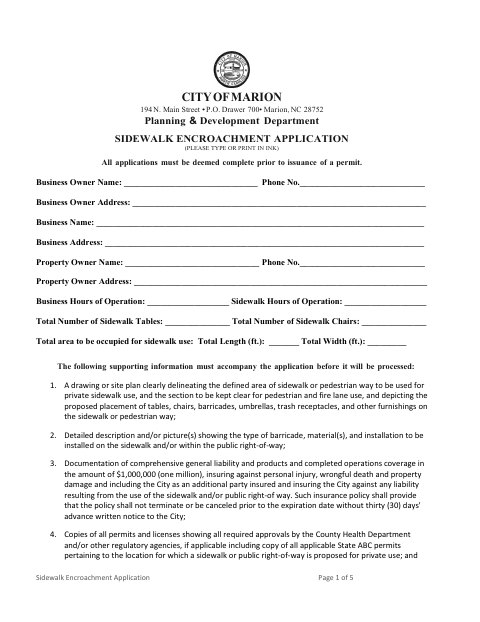
Marion’s application collects business and property owner details, sidewalk-use dimensions, and information about tables, chairs, operating hours, and the proposed area. Applicants must provide a site plan, barricade details, insurance documentation, and applicable permits or licenses. The packet also includes operating requirements and a Release and Agreement accepting responsibility for items placed in a public area; its notarized acknowledgment must be completed as part of that agreement.
Who needs it
A business seeking to place tables, chairs, or other items on a Marion public sidewalk or other public place should submit this application and its supporting materials.
Why it needs a notary
The Release and Agreement includes an acknowledgment, not a jurat; the undersigned business representative signs the agreement and personally acknowledges its execution before the notary.
How to get this notarized
- 1
Download the Application
Get Marion’s Sidewalk Encroachment Application and review the application, requirements, and Release and Agreement.
- 2
Complete the Form
Enter the business, property, and sidewalk-use details, then gather the required site plan, insurance documentation, and applicable permits or licenses.
- 3
Book an Online Notary
Check with Marion about acceptance of remote notarization, then arrange a session with a commissioned online notary if appropriate.
- 4
Sign Before the Notary
Sign the Release and Agreement as directed and acknowledge its execution before the notary.
- 5
Submit to the City
Send the completed application and supporting documents to Marion’s Planning & Development Department.
Preview the form
The blank PDF straight from Marion. Look it over, then upload your filled copy to start the notary session.

You’ll need ID and a webcam.
A licensed online notary will join you on video, verify your government-issued ID, witness your signature, and apply their seal. You’ll receive the notarized PDF by email when the session ends.
Frequently asked questions
- How do I get the Release and Agreement notarized?
- Sign the Release and Agreement in front of a notary who can complete its acknowledgment. Before booking, ask Marion whether it accepts a remotely notarized acknowledgment for this form.
- Do I need a notary for the entire application?
- The form’s notary block appears in the Release and Agreement on page 5. The application and other statements also require signatures, but the provided text does not show notary blocks for those signatures.
- Can I use remote online notarization for this Marion form?
- North Carolina’s remote electronic notarization program has not launched. The state’s emergency video notarization requires the signer and notary to be in North Carolina and is not remote online notarization. Confirm with Marion which notarization methods it accepts.
- What supporting documents does the application request?
- The form calls for a site plan, barricade details, proof of specified insurance, and copies of applicable permits and licenses. Confirm with the city or town if unsure whether an item applies.