
Landis, NC · Rowan County
Request for Taxpayer Identification Number and Certification
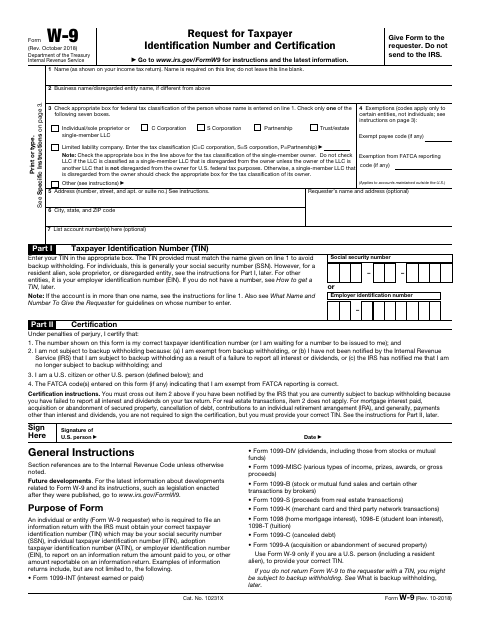
This IRS Form W-9 lets individuals and businesses provide their taxpayer identification number and certification to the Town of Landis as the requester.
What this form is
Use this Form W-9 when the Town of Landis requests your taxpayer identification number for information-reporting purposes. The form asks for your name, tax classification, address, taxpayer identification number, and applicable certifications, along with a signature and date. The form says to give it to the requester, not to send it to the IRS.
Who needs it
Individuals and entities asked by the Town of Landis to provide a taxpayer identification number and certification can complete this form.
How to submit it
Give the completed form to the requester, as the form directs; do not send it to the IRS. Check the city website for current contact details.
About notarization
This document is signed without a notary; the signer provides a signature and date on the form.
How to submit this form
- 1
Download the Form
Download the Form W-9 PDF.
- 2
Complete the Form
Enter your name, tax classification, address, and taxpayer identification number, and complete the applicable certification.
- 3
Sign and Date
Sign and date the form as required for your situation.
- 4
Give It to the Requester
Give the completed form to the requester; do not send it to the IRS.
Frequently asked questions
- Do I need a notary for the Form W-9?
- No. This form has a signature and date line but no notary block; the signer just signs and dates it.
- How do I submit the Form W-9?
- Give the completed form to the requester. The form says not to send it to the IRS; check the city website for current contact details.
- What information does the Form W-9 ask for?
- It asks for your name, tax classification, address, taxpayer identification number, and applicable certifications. It also includes a signature and date line.