
Versailles, OH · Darke County
Business & Contractor Registration
Businesses, contractors, and subcontractors use this form to register with Versailles before performing work in the village.
What this form is
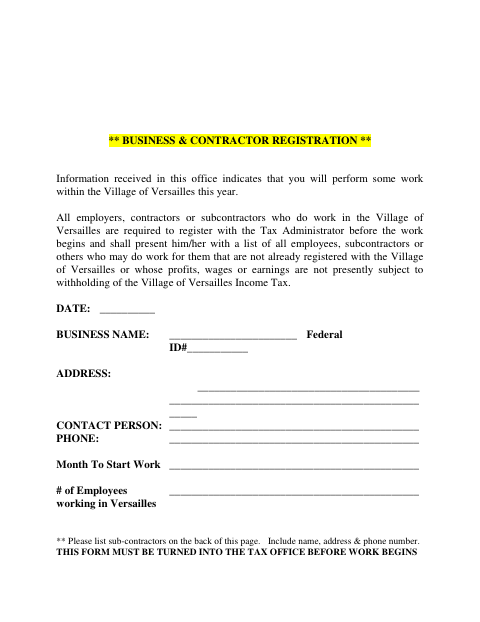
The form registers employers, contractors, and subcontractors who will perform work in Versailles. The document says registration is required before work begins and asks for business identification, address, contact, phone, start month, and employee count. It also instructs the filer to list unregistered subcontractors on the back, including their names, addresses, and phone numbers.
Who needs it
Employers, contractors, and subcontractors doing work in Versailles must register before work begins and provide information about relevant workers.
How to submit it
Turn the form in to the Tax Office before work begins; the document says registration is with the Tax Administrator.
About notarization
This document is completed without a notary; it includes a date field and identifies no notarized attachment or sworn step.
How to submit this form
- 1
Download The Form
Download the Business & Contractor Registration form.
- 2
Complete The Business Details
Enter the business identification, address, contact, phone, work start month, and employee count.
- 3
List Subcontractors
On the back, list subcontractors who are not already registered, including each name, address, and phone number.
- 4
Submit Before Work Begins
Turn the form in to the Tax Office before work begins.
Frequently asked questions
- Who must register with Versailles?
- Employers, contractors, and subcontractors who perform work in Versailles are required to register with the Tax Administrator before work begins.
- What information does the registration form request?
- It asks for the business name, federal ID number, address, contact person, phone, month work starts, and employee count. Unregistered subcontractors should be listed on the back.
- How do I submit the Business & Contractor Registration?
- Turn the completed form in to the Tax Office before work begins. The document identifies registration with the Tax Administrator but provides no address or other contact details.
- Do I need a notary for this registration?
- No. This document is completed without a notary; it includes a date field and identifies no notarized attachment or sworn step.