
Grandview Heights, OH · Franklin County
Authorization for Release of Protected Health Information
This authorization lets a patient or representative ask the Grandview Heights Division of Fire to disclose specified medical-record information to a named person or organization.
- licensed online notary
- ~15 min average
- Notarized PDF emailed
What you’ll need
- Government-issued photo ID
- Webcam-enabled device (laptop or phone)
- This form, ready to upload as a PDF
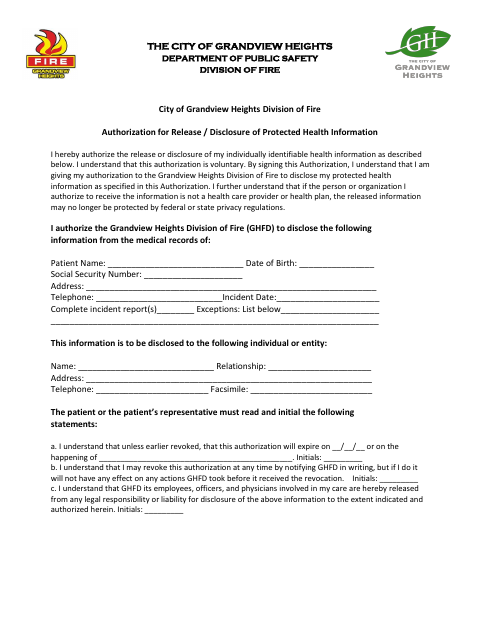
What this form is
Use this form to authorize the Grandview Heights Division of Fire to disclose specified information from a patient’s medical records. The form asks for patient and recipient details, the information to be released, an expiration event or date, and the patient’s or representative’s signature. It must be completed before signing and notarized unless signed in the presence of the Fire Chief or Privacy Officer.
Who needs it
A patient or the patient’s representative who wants the Grandview Heights Division of Fire to disclose specified medical-record information to another person or entity needs this form.
Why it needs a notary
The form has no printed jurat or acknowledgment block; the patient or representative must have the signature notarized or sign in the presence of the Fire Chief or Privacy Officer.
How to get this notarized
- 1
Download the Form
Get the City of Grandview Heights Division of Fire authorization for release of protected health information.
- 2
Complete the Form
Enter patient and recipient details, identify the records to disclose, complete the expiration information, and read and initial the statements.
- 3
Book an Online Notary
Arrange a session with a commissioned online notary, unless you will sign in the presence of the Fire Chief or Privacy Officer.
- 4
Sign on Video
Sign during the online session so the notary can notarize your signature.
- 5
Submit to the Division of Fire
Send the completed authorization to the Grandview Heights Division of Fire and follow its instructions for submission.
Preview the form
The blank PDF straight from Grandview Heights. Look it over, then upload your filled copy to start the notary session.

You’ll need ID and a webcam.
A licensed online notary will join you on video, verify your government-issued ID, witness your signature, and apply their seal. You’ll receive the notarized PDF by email when the session ends.
Frequently asked questions
- How do I complete the protected health information release?
- Fill in the patient and recipient details, specify the information to disclose, complete the expiration section, and read and initial each statement. Complete the form before signing.
- Do I need to sign this form before a notary?
- The form says it must be notarized unless you sign in the presence of the Fire Chief or Privacy Officer. Its text does not include a printed notary certificate.
- Can I sign with a commissioned online notary?
- Ohio authorizes online notarization by its notaries under R.C. §§147.60–147.66. The form does not explain how the Division of Fire handles online-notarized submissions; confirm with the city or village if unsure.
- Who may sign the authorization?
- The patient or the patient’s representative signs. A representative must provide their relationship to the patient and describe their authority to act on the patient’s behalf.