
Byesville, OH · Guernsey County
Temporary Shut Off Form
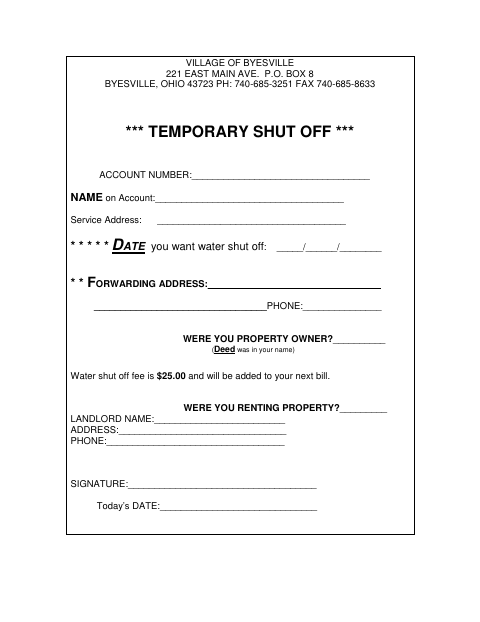
Account holders use this form to request a temporary water shutoff and provide account, service address, and forwarding details.
What this form is
Use this form to request a temporary shutoff of water service in Byesville. It asks for the account number, name on the account, service address, requested shutoff date, forwarding address, and phone number. It also asks whether the applicant owned or rented the property and, if renting, for landlord details; the $25 shutoff fee is added to the next bill.
Who needs it
A water account holder requesting a temporary shutoff should provide the account and service details requested on the form.
How to submit it
Submit it to the city department named on the form; check the city website for current contact details.
About notarization
This form is signed and dated without a notary; it lists no sworn statement or notarized attachment, so the signer just signs and dates it.
How to submit this form
- 1
Download The Form
Download the Temporary Shut Off Form PDF.
- 2
Complete The Form
Enter the account, service, requested shutoff date, forwarding, and property or landlord details that apply.
- 3
Gather Attachments
The form does not list any attachments to gather.
- 4
Submit To The City
Submit it to the city department named on the form; check the city website for current contact details.
Frequently asked questions
- What does the Temporary Shut Off Form request?
- It requests account and service details, a requested shutoff date, forwarding information, and whether the applicant owned or rented the property.
- What is the water shutoff fee?
- The form states that the water shutoff fee is $25.00 and will be added to the next bill.
- Do I need a notary for the Temporary Shut Off Form?
- No. The form has a signature and date field but no notary block or notarized attachment; the signer just signs and dates it.
- How do I submit the Temporary Shut Off Form?
- Submit it to the city department named on the form; check the city website for current contact details.