
Cambridge, OH · Guernsey County
Income Tax Refund Claim
This claim is for nonresidents who performed no services within Cambridge city limits but had Cambridge income tax withheld and are seeking a refund from the City Income Tax Department.
- licensed online notary
- ~15 min average
- Notarized PDF emailed
What you’ll need
- Government-issued photo ID
- Webcam-enabled device (laptop or phone)
- This form, ready to upload as a PDF
What this form is
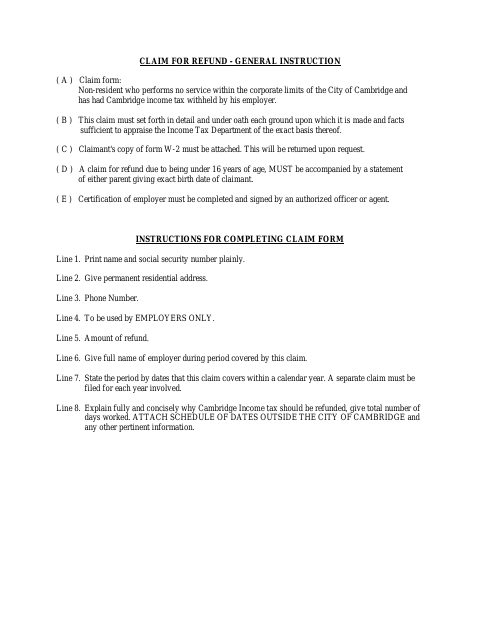
This two-page claim is filed with the City of Cambridge Income Tax Department by a nonresident who performed no services within city limits but had Cambridge income tax withheld. It asks the claimant to explain the refund basis under oath, report days worked, and attach a W-2 and schedule of dates outside Cambridge. The form covers one calendar year only; employer certification is also required, and separate claims are needed for separate years.
Who needs it
A nonresident who performed no services within Cambridge city limits and had Cambridge income tax withheld may file this claim for a refund.
Why it needs a notary
The form includes a “Sworn to and subscribed before me” jurat; the claimant signs the refund claim before the notary, while the employer completes and signs its separate certification.
How to get this notarized
- 1
Download the Claim
Get the City of Cambridge Income Tax Department claim for refund form.
- 2
Fill Out the Claim
Complete the fields for one calendar year, explain the refund basis, and include days worked and the required attachments.
- 3
Book an Online Notary
Arrange a session with a commissioned online notary for the claimant’s sworn signature.
- 4
Sign on Video
Sign the claim during the online notary session so the jurat can be completed.
- 5
Submit to the City
Ensure the employer certification is complete, attach the required materials, and file the claim with the City Income Tax Department.
Preview the form
The blank PDF straight from Cambridge. Look it over, then upload your filled copy to start the notary session.

You’ll need ID and a webcam.
A licensed online notary will join you on video, verify your government-issued ID, witness your signature, and apply their seal. You’ll receive the notarized PDF by email when the session ends.
Frequently asked questions
- How do I complete and submit this refund claim?
- Complete the claim for one calendar year, explain the refund basis and days worked, attach your W-2 and schedule of dates outside Cambridge, obtain employer certification, and file it with the City Income Tax Department.
- Do I need to sign the claim before a notary?
- Yes. The form says the claim must be made under oath and includes a “Sworn to and subscribed before me” jurat for the claimant’s signature.
- Can I sign this claim with a remote online notary?
- Ohio law authorizes online notarization by Ohio notaries under R.C. §§147.60–147.66. A commissioned online notary can notarize the claimant’s oath remotely; confirm with the city or village if unsure.
- What attachments and employer details are required?
- Attach your W-2 and a schedule of dates worked outside Cambridge. The employer must complete and sign the certification confirming employment, withholding, and work location.