
Reading, OH · Hamilton County
Business Declaration of Estimated Tax Form
Businesses use this form to declare estimated tax for the year, report income and credits, and provide taxpayer and payment details.
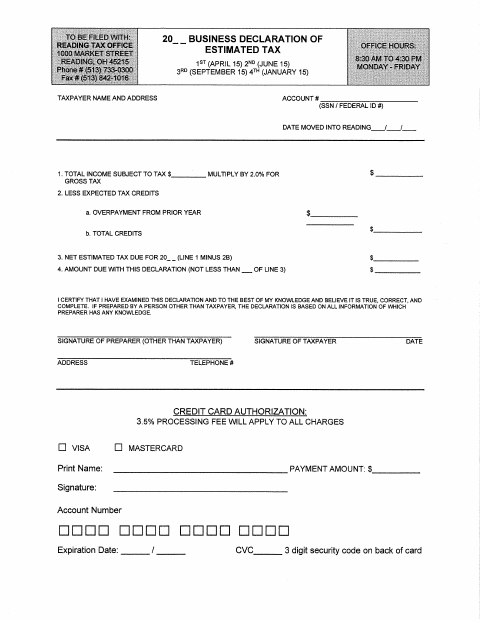
What this form is
This form is for declaring a business’s estimated tax for the year and calculating the net estimated tax due after credits. It lists installment dates and asks for taxpayer and account details, income subject to tax, expected credits, payment amount, and signatures. It also includes a credit card authorization section with a stated processing fee.
Who needs it
A business taxpayer completing a declaration of estimated tax for the year can use this form to report income, credits, and payment details.
How to submit it
Submit it to the city department named on the form; check the city website for current contact details.
About notarization
This declaration is signed and dated without a notary; the form lists no notarized attachment or sworn step.
How to submit this form
- 1
Download The Form
Download the Business Declaration of Estimated Tax Form.
- 2
Complete The Declaration
Enter the taxpayer and account details, income, expected credits, estimated tax amounts, and requested payment information.
- 3
Review Attachments
The form does not list any required attachments; check the city website for current instructions.
- 4
Sign And Submit
Sign and date the declaration, then submit it to the city department named on the form.
Frequently asked questions
- What does the Business Declaration of Estimated Tax Form ask for?
- It asks for taxpayer and account details, income subject to tax, expected credits, estimated tax amounts, signatures, and payment information.
- Who uses this estimated tax form?
- A business taxpayer completing a declaration of estimated tax for the year can use this form to provide income, credit, and payment details.
- Do I need a notary for the Business Declaration of Estimated Tax Form?
- No. The declaration is signed and dated without a notary, and the form lists no notarized attachment or sworn step.
- How do I submit the Business Declaration of Estimated Tax Form?
- Submit it to the city department named on the form; check the city website for current contact details.