
Lynchburg, OH · Highland County
Change of Name Request
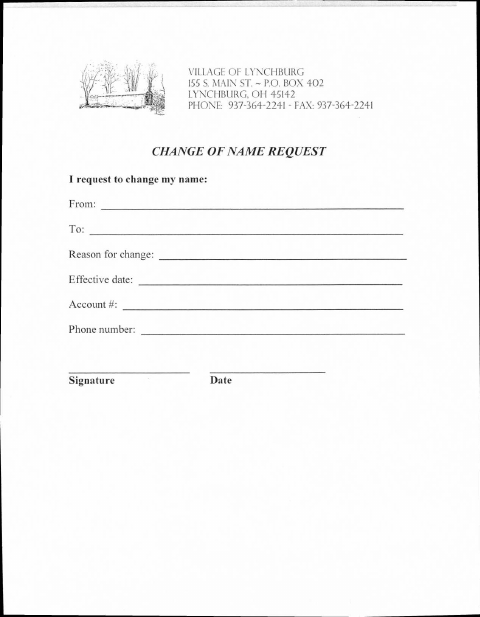
The Village of Lynchburg form lets a requester ask to change a name and provide account details, the reason, an effective date, and contact information.
What this form is
Use this form to request a name change with the Village of Lynchburg. It asks for the name to change from and to, the reason, effective date, account number, phone number, signature, and date; the form does not state when the Village requires it.
Who needs it
Anyone requesting a name change with the Village of Lynchburg can use this form to provide the requested account and contact details.
How to submit it
Submit it to the city department named on the form; check the city website for current contact details.
About notarization
This request is signed and dated without a notary; the form lists no notarized or sworn attachment, so the signer just signs and dates it.
How to submit this form
- 1
Download The Form
Download the Change of Name Request PDF.
- 2
Complete The Request
Enter the requested name, reason, effective date, account number, and phone number.
- 3
Check For Attachments
The form does not list any attachments.
- 4
Submit The Request
Submit it to the city department named on the form; check the city website for current contact details.
Frequently asked questions
- What information does the Change of Name Request ask for?
- It asks for the name change from and to, the reason, effective date, account number, phone number, signature, and date.
- Do I need a notary for the Change of Name Request?
- No. This form is signed and dated without a notary, and it lists no notarized or sworn attachment.
- How do I submit the Change of Name Request?
- Submit it to the city department named on the form; check the city website for current contact details.