
Ontario, OH · Richland County
Public Records Request Form
This form lets a person request public records from the City of Ontario and indicate whether they want copies or to inspect the records.
What this form is
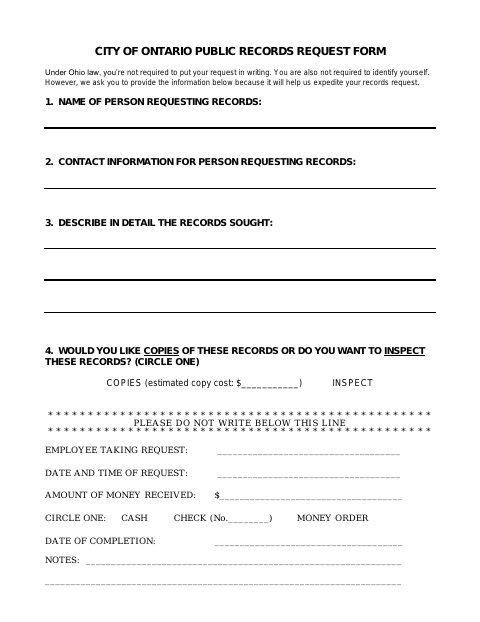
Use this form to describe the public records you seek and indicate whether you want copies or to inspect them. The form says a written request and identification are not required, but asks for your name and contact information to help expedite the request. It also has fields for city staff to record request details, any money received, completion date, and notes.
Who needs it
Anyone who chooses to use the City of Ontario’s written form to describe a public records request and specify copies or inspection.
How to submit it
Submit it to the city department named on the form; check the city website for current contact details.
About notarization
This document is completed without a notary; it has no requester signature or date field and mentions no notarized or sworn attachment.
How to submit this form
- 1
Download The Form
Download the Public Records Request Form.
- 2
Complete The Request
Provide your name and contact information, describe the records sought, and choose copies or inspection.
- 3
Check For Attachments
The form does not list any attachments to gather.
- 4
Submit To The City
Submit it to the city department named on the form; check the city website for current contact details.
Frequently asked questions
- What information does the Public Records Request Form ask for?
- It asks for the requester's name and contact information, a detailed description of the records sought, and whether the requester wants copies or to inspect them.
- Do I need a notary for the Public Records Request Form?
- No. This form has no requester signature or date field and mentions no notarized or sworn attachment.
- How do I submit the Public Records Request Form?
- The form does not specify a submission method or contact details. Submit it to the city department named on the form; check the city website for current contact details.