
Trainer, PA · Delaware County
Vacation Slip
Trainer residents use this slip to report when their home will be vacant and provide contact and home-safety information.
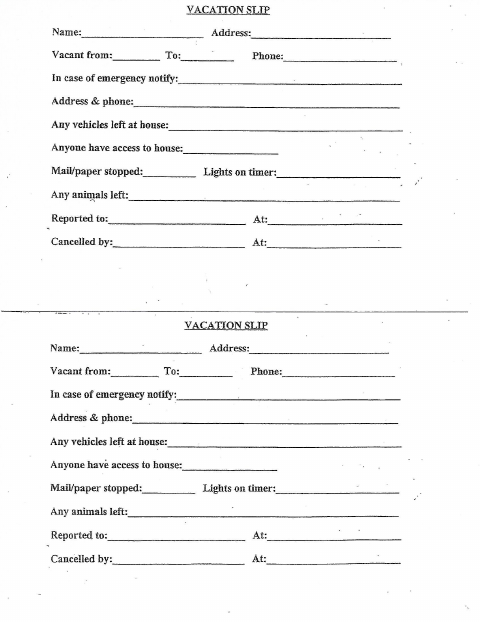
What this form is
The Vacation Slip lets a resident provide information about a home that will be vacant, including dates away, contact details, an emergency contact, access, mail, lights, vehicles, and animals. It also has fields for reporting and cancellation. Use it to notify the borough about a planned absence; the slip does not state when it is required or identify a receiving department.
Who needs it
A resident planning to leave a home vacant can use this slip to share absence dates and details about the property.
How to submit it
Submit it to the city department named on the form; check the city website for current contact details.
About notarization
This document is signed without a notary; no sworn or notarized attachment is mentioned, so the signer just signs and dates it.
How to submit this form
- 1
Download The Slip
Download the Vacation Slip PDF.
- 2
Complete The Fields
Fill in your contact details, absence dates, emergency contact, and requested information about the home.
- 3
Check For Attachments
The slip does not list any attachments to gather.
- 4
Submit To The City
Submit it to the city department named on the form; check the city website for current contact details.
Frequently asked questions
- What information does the Vacation Slip request?
- It asks for the resident’s name, address, dates away, phone number, emergency contact, and details about access, mail, lights, vehicles, and animals.
- Do I need a notary for the Vacation Slip?
- No. This document is signed without a notary. It mentions no sworn or notarized attachment; the signer just signs and dates it.
- How do I submit the Vacation Slip?
- Submit it to the city department named on the form; check the city website for current contact details.