
Lancaster, SC · Lancaster County
Utility Service and Annexation Agreement Restrictive Covenant
This agreement is for property owners outside Lancaster’s city limits who seek permission to connect their property to the City of Lancaster water or sewer system.
- licensed online notary
- ~15 min average
- Notarized PDF emailed
What you’ll need
- Government-issued photo ID
- Webcam-enabled device (laptop or phone)
- This form, ready to upload as a PDF
What this form is
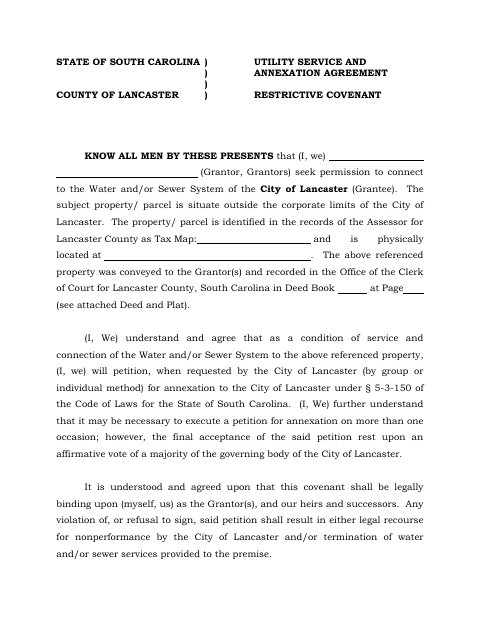
The agreement sets conditions for connecting an outside-the-city property to Lancaster’s water or sewer system, including a commitment to petition for annexation when requested by the city. It also makes the covenant binding on the grantors and their successors and heirs, and allows for inspection before connection. Property owners seeking utility service complete the agreement and provide the property and deed-record information requested on the form.
Who needs it
Property owners outside Lancaster’s corporate limits seeking a water or sewer connection from the City of Lancaster need to complete this agreement.
Why it needs a notary
The form carries a sworn witness jurat: the witness named in the notarial block swears before the notary that they witnessed the grantor sign and deliver the agreement.
How to get this notarized
- 1
Download the Agreement
Download the Utility Service and Annexation Agreement Restrictive Covenant from the City of Lancaster.
- 2
Fill in the Property Details
Complete the grantor, property, tax map, deed book, and page information requested on the form.
- 3
Book an Online Notary
Arrange an appointment with a commissioned online notary and identify the witness who must take the oath.
- 4
Sign on Video
Follow the notary’s instructions for the witness’s oath and the required signatures.
- 5
Submit to the City
Submit the completed agreement to the City of Lancaster as directed.
Preview the form
The blank PDF straight from Lancaster. Look it over, then upload your filled copy to start the notary session.

You’ll need ID and a webcam.
A licensed online notary will join you on video, verify your government-issued ID, witness your signature, and apply their seal. You’ll receive the notarized PDF by email when the session ends.
Frequently asked questions
- Who signs in front of the notary?
- The witness who personally appeared before the notary takes the oath in the jurat. The form also provides spaces for the grantor and two witnesses to sign.
- How do I get the agreement notarized online?
- Complete the form and arrange for the witness named in the notarial block to meet with a commissioned online notary by video. Follow the notary’s instructions for the oath and signing.
- Do I need a notary for this form?
- The form includes a notarial block requiring a witness to swear that they saw the grantor sign and deliver the agreement. Ask the city if you are unsure how to complete it.
- Can a remote online notarization be used for this South Carolina form?
- South Carolina has not authorized its own notaries to perform remote online notarizations. A commissioned online notary acting under the law of the jurisdiction where the notarization occurs may be an option; confirm with the city or town if unsure.