
Sturgis, SD · Meade County
Law Enforcement Reserve Application and Personal History Statement
This application and personal history statement gathers an applicant’s qualifications, background, and oath of office for a law enforcement reserve position.
- licensed online notary
- ~15 min average
- Notarized PDF emailed
What you’ll need
- Government-issued photo ID
- Webcam-enabled device (laptop or phone)
- This form, ready to upload as a PDF
What this form is
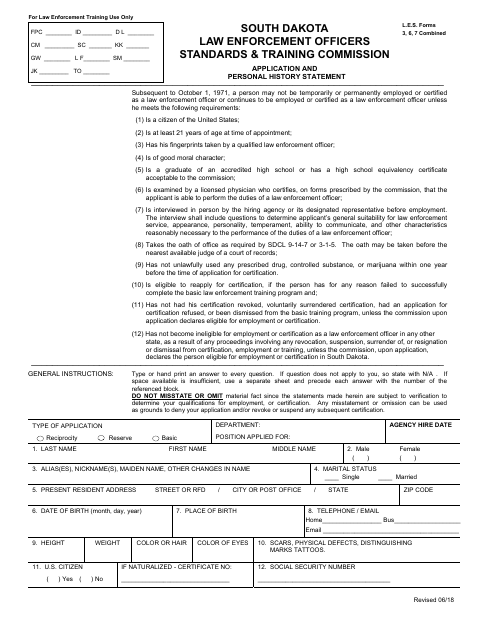
Applicants complete the personal history questions, authorize the release of information, and sign the oath of office included in the application. The form also includes agency certification and medical verification pages; it says the application is submitted to Law Enforcement Training and identifies documents due after an officer is hired. The form does not specify a separate Sturgis filing procedure.
Who needs it
A person applying for a law enforcement reserve position who must provide personal history information and take the oath of office should complete this application.
How to get this notarized
- 1
Download the Application
Get the application and personal history statement from the City of Sturgis.
- 2
Complete the Form
Type or print answers to every question, using N/A when a question does not apply.
- 3
- 4
Sign on Video
Wait to sign the oath until the commissioned online notary directs you during the video session.
- 5
Submit the Application
Follow the hiring agency’s directions to submit the application and required supporting documents.
Preview the form
The blank PDF straight from Sturgis. Look it over, then upload your filled copy to start the notary session.

You’ll need ID and a webcam.
A licensed online notary will join you on video, verify your government-issued ID, witness your signature, and apply their seal. You’ll receive the notarized PDF by email when the session ends.
Frequently asked questions
- How do I complete the notarized oath in this application?
- Complete the application, but wait to sign the oath page. A commissioned online notary will administer the oath and witness your signature during your video appointment.
- Do I need to notarize the entire application?
- The form’s oath of office page includes a subscribed-and-sworn jurat. The application also has other signature lines, so confirm with the city if unsure which signatures need notarization.
- Can I sign this form with an online notary?
- South Dakota authorizes remote online notarization for its own notaries under SDCL 18-1-11.2. Rush Notary can arrange a session with a commissioned online notary.
- What should I do after notarization?
- The form identifies Law Enforcement Training as the recipient and lists supporting documents to submit. Follow the hiring agency’s instructions for completing and submitting the application.