
Pigeon Forge, TN · Sevier County
On-Premises Beer Permit Application
This application requests a permit to sell beer for on-premises consumption and is filed by an individual applicant seeking authorization from the Pigeon Forge Beer Board.
- licensed online notary
- ~15 min average
- Notarized PDF emailed
What you’ll need
- Government-issued photo ID
- Webcam-enabled device (laptop or phone)
- This form, ready to upload as a PDF
What this form is
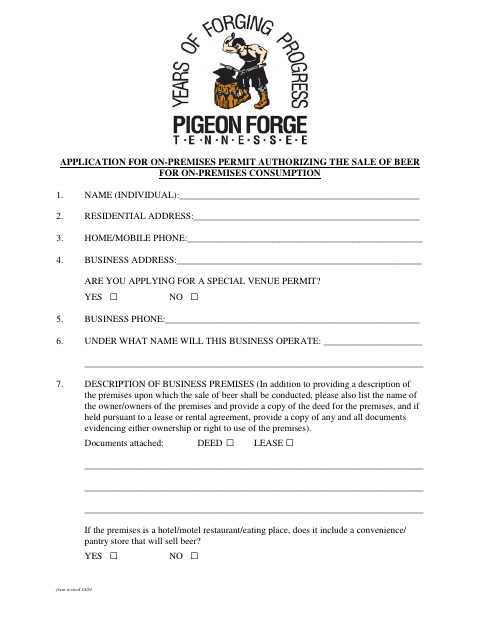
The application collects the applicant’s personal and business information, details about the premises, ownership, zoning, and supporting documents such as a deed or lease and site plan. It also includes sworn statements about permit conditions, an authorization for the City to obtain wholesale sales information, and a fingerprinting notice. Applicants complete it when seeking an on-premises beer permit from the Pigeon Forge Beer Board.
Who needs it
An individual applying to the Pigeon Forge Beer Board for a permit to sell beer for on-premises consumption must complete the application and provide the listed attachments.
How to get this notarized
- 1
Download the Application
Get the On-Premises Beer Permit Application from the City of Pigeon Forge.
- 2
Fill Out the Form
Complete the applicant, business, premises, ownership, and other requested information, and gather the listed attachments.
- 3
Book an Online Notary
Arrange an online notarization session with a commissioned online notary.
- 4
Sign on Video
Sign and swear to the application before the notary during your video session.
- 5
Submit to the City
Submit the completed application and supporting documents to the City of Pigeon Forge for Beer Board review.
Preview the form
The blank PDF straight from Pigeon Forge. Look it over, then upload your filled copy to start the notary session.

You’ll need ID and a webcam.
A licensed online notary will join you on video, verify your government-issued ID, witness your signature, and apply their seal. You’ll receive the notarized PDF by email when the session ends.
Frequently asked questions
- How do I get the application notarized online?
- Complete the application, then book a session with a commissioned online notary. Sign the sworn statement during the video session, following the notary’s instructions.
- Do I need to sign the application before meeting the notary?
- The form’s jurat says it was sworn to and subscribed before a notary. Sign the applicant or owner signature and take the oath before the notary during your session.
- What supporting documents does the application request?
- The form lists items including a deed or lease, a site plan by a qualified surveyor or engineer, a seating plan, a sales and use tax certificate, and background investigation documentation as applicable.
- Can I use online notarization for this form?
- Tennessee law authorizes remote online notarization by a commissioned online notary registered through the Secretary of State. Confirm with the city or town if unsure whether it will accept the notarized application.