
West Columbia, TX · Brazoria County
Business Improvement Grant Program Application
This application lets eligible new and existing West Columbia businesses request reimbursement grants for façade, sign, property, or mural improvements from the West Columbia Economic Development Corporation.
- licensed online notary
- ~15 min average
- Notarized PDF emailed
What you’ll need
- Government-issued photo ID
- Webcam-enabled device (laptop or phone)
- This form, ready to upload as a PDF
What this form is
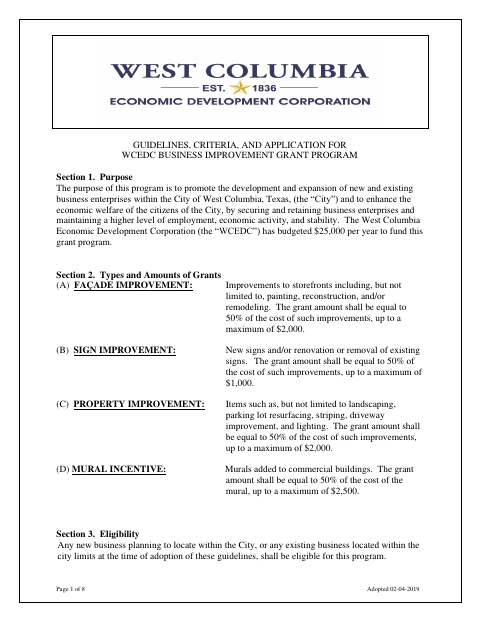
The eight-page packet explains grant eligibility, funding limits, application review, project requirements, and reimbursement procedures, and includes an application and a completion certificate with an affidavit. Eligible businesses use it to request funding for improvements; the application requires estimates and supporting documents, and the applicant must wait for written approval before starting work. After completing the project, applicants submit paid receipts and photos for review and inspection.
Who needs it
New businesses planning to locate in West Columbia and existing businesses within the city limits may apply, with leased-facility businesses applying jointly with the facility owner.
Why it needs a notary
The completion certificate includes a sworn affidavit jurat; the business owner and property owner sign the affidavit before a notary public.
How to get this notarized
- 1
Download The Grant Packet
Download the WCEDC Business Improvement Grant Program packet and review its guidelines, application, and completion certificate.
- 2
Fill Out The Application
Complete the application, select the improvement type, and gather required estimates and supporting documents.
- 3
Book An Online Notary
When the project is complete, book a commissioned online notary for the affidavit on the completion certificate.
- 4
Sign On Video
The business owner and property owner sign the affidavit during the online notary session.
- 5
Submit To The City
Submit the application to the WCEDC as directed; after completion, provide the notarized certificate, paid receipts, and required photos.
Preview the form
The blank PDF straight from West Columbia. Look it over, then upload your filled copy to start the notary session.

You’ll need ID and a webcam.
A licensed online notary will join you on video, verify your government-issued ID, witness your signature, and apply their seal. You’ll receive the notarized PDF by email when the session ends.
Frequently asked questions
- How do I get the completion affidavit notarized online?
- Complete the affidavit and book an appointment with a commissioned online notary. The business owner and property owner sign during the video session; attach the notarized affidavit to the completion materials.
- Do I need a notary for the grant application?
- The application pages do not show a notary block, but the completion certificate includes a sworn affidavit that must be signed before a notary public. Confirm with the city if unsure.
- Can I start improvements before grant approval?
- The guidelines say applicants must not begin improvements before receiving written WCEDC approval. They also require completion within six months of the approval date.
- Can I notarize the affidavit remotely in Texas?
- Texas has authorized remote online notarization since 2018 under Government Code Chapter 406, Subchapter C. Ask the city whether it accepts the notarized document for this program.
Other forms in West Columbia
Business Improvement Grant Program Application in other Texas cities
Each city publishes its own version of this form. Pick the city where you’re filing.