
College Station, TX · Brazos County
Pedicab Driver Permit Application
This application is for people seeking a City of College Station pedicab driver permit and requires the applicant to provide driving and criminal history records.
- licensed online notary
- ~15 min average
- Notarized PDF emailed
What you’ll need
- Government-issued photo ID
- Webcam-enabled device (laptop or phone)
- This form, ready to upload as a PDF
What this form is
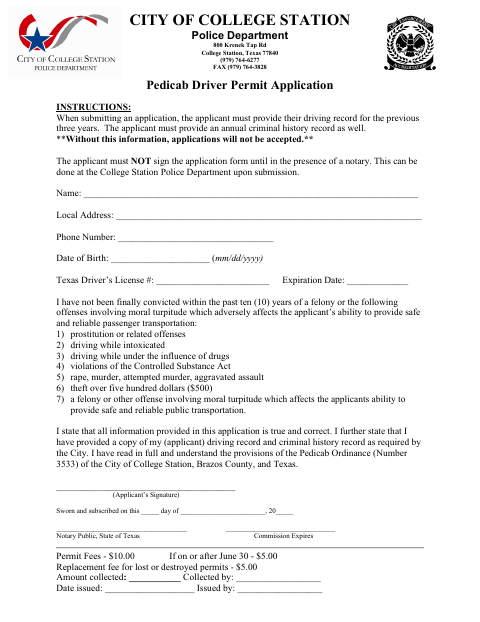
This application is used to request a City of College Station pedicab driver permit and records the applicant’s identifying and driver’s-license information, eligibility statement, and certification. Submit it with a driving record covering the previous three years and an annual criminal history record; the city says applications will not be accepted without both records, and the applicant must wait to sign until appearing before a notary.
Who needs it
Anyone applying for a College Station pedicab driver permit must submit this application with a three-year driving record and an annual criminal history record.
Why it needs a notary
The form carries a sworn-and-subscribed jurat; the applicant signs the application and swears to its statements in the notary’s presence.
How to get this notarized
- 1
Download the Application
Get the Pedicab Driver Permit Application from the City of College Station.
- 2
Fill Out the Form
Complete the application, but leave the signature line unsigned. Gather the required driving and criminal history records.
- 3
Book an Online Notary
Schedule a session with a commissioned online notary and have a valid form of identification ready.
- 4
Sign on Video
Sign and swear to the application during your live video session with the notary.
- 5
Submit to the City
Submit the notarized application and required records to the College Station Police Department.
Preview the form
The blank PDF straight from College Station. Look it over, then upload your filled copy to start the notary session.

You’ll need ID and a webcam.
A licensed online notary will join you on video, verify your government-issued ID, witness your signature, and apply their seal. You’ll receive the notarized PDF by email when the session ends.
Frequently asked questions
- How do I get this application notarized online?
- Complete the form but do not sign it. Book a session with a commissioned online notary, sign and swear to the application during the video session, then submit it with the required records.
- Do I need to provide records with my application?
- Yes. The form instructions require a driving record for the previous three years and an annual criminal history record; they say applications will not be accepted without both.
- Can a remote online notary notarize this Texas form?
- Texas has authorized remote online notarization since 2018 under Government Code Chapter 406, Subchapter C. A commissioned online notary can notarize your signature remotely.
- Can I sign the application before my notary appointment?
- No. The form says not to sign until you are in the presence of a notary. If you are unsure whether the city accepts remote notarization, confirm with the city.
Other forms in College Station
Abandonment of Public Right-of-Way/Easement Application
College Station
Itinerant Vendor Permit Notary Page
College Station
License to Encroach Upon a Public Utility Easement
College Station
Alternative Parking Plan Agreement Signature Page
College Station
Pedicab Permit Application and Inspection
College Station
Pedicab Service License Application
College Station