
Rowlett, TX · Dallas County
Take Area Vegetation Removal/Pruning Permit Checklist
This checklist and application packet supports a Rowlett request to remove or prune vegetation in a take area, including project details, required submittals, and an owner consent form.
- licensed online notary
- ~15 min average
- Notarized PDF emailed
What you’ll need
- Government-issued photo ID
- Webcam-enabled device (laptop or phone)
- This form, ready to upload as a PDF
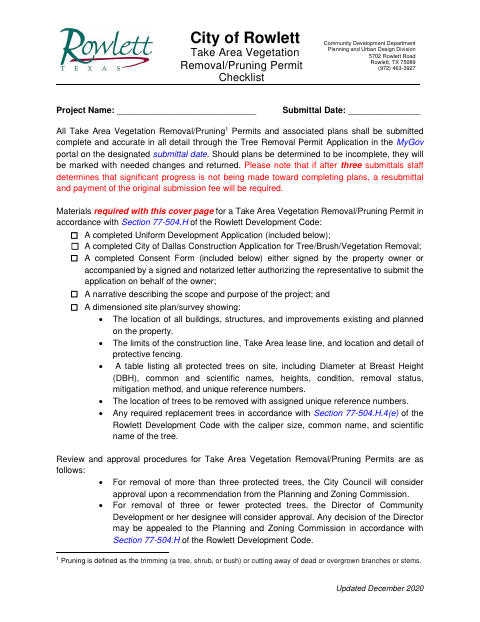
What this form is
Use this packet to apply for a Take Area Vegetation Removal/Pruning Permit and provide the required application materials, such as a project narrative and dimensioned site plan or survey. Rowlett also includes a Uniform Development Application and consent form; the consent form authorizes an agent to submit materials and represent the property owner. The checklist says the consent form must be signed by the owner or accompanied by a signed, notarized authorization letter.
Who needs it
Property owners or their agents submitting a Rowlett Take Area Vegetation Removal/Pruning Permit application need this checklist and its associated application materials.
Why it needs a notary
The consent form carries a Texas acknowledgment block; the property owner signing the consent is named before the notary, who completes the acknowledgment and identification details.
How to get this notarized
- 1
Download The Permit Packet
Get the Take Area Vegetation Removal/Pruning Permit checklist and application packet from the City of Rowlett.
- 2
Complete The Forms
Fill in the project and property details, select the request type, and gather the required narrative, consent, and site plan or survey.
- 3
Book An Online Notary
Schedule a remote session with a commissioned online notary for the owner's acknowledgment.
- 4
Sign On Video
Show identification and acknowledge the consent signature during the online notary session.
- 5
Submit To The City
Submit the complete and accurate permit materials through Rowlett's MyGov portal on the designated submittal date.
Preview the form
The blank PDF straight from Rowlett. Look it over, then upload your filled copy to start the notary session.

You’ll need ID and a webcam.
A licensed online notary will join you on video, verify your government-issued ID, witness your signature, and apply their seal. You’ll receive the notarized PDF by email when the session ends.
Frequently asked questions
- How do I notarize the owner consent form?
- Complete the consent form, then meet with a commissioned online notary by video and acknowledge your signature. Submit the completed packet through Rowlett's MyGov portal.
- Do I need to notarize the consent form?
- The checklist allows a consent form signed by the property owner or a signed, notarized letter authorizing the representative. If you are unsure which option applies, confirm with the city if unsure.
- Can I use an online notary for this form?
- Texas has authorized remote online notarization since 2018 under Government Code Chapter 406, Subchapter C. The form contains an acknowledgment block for the signer.
- What materials go with the permit checklist?
- The checklist calls for a Uniform Development Application, a City of Dallas tree and vegetation removal application, owner consent or notarized authorization, a project narrative, and a dimensioned site plan or survey.