
Sunnyvale, TX · Dallas County
Disconnect Request Form
Sunnyvale account holders use this form to request a disconnection and provide service, contact, and forwarding address details.
What this form is
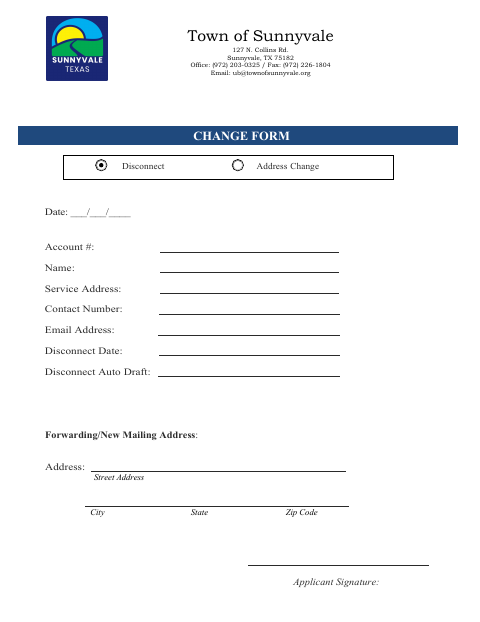
The Disconnect Request Form provides Sunnyvale with account and service address information, a requested disconnect date, and contact details. It also asks whether automatic draft should be disconnected and provides space for a forwarding or new mailing address. The form does not state when the town requires it or describe any attachments.
Who needs it
An account holder requesting disconnection of service in Sunnyvale can use this form to provide the requested account and contact information.
How to submit it
Submit it to the city department named on the form; check the city website for current contact details.
About notarization
This document is signed without a notary; it lists no notarized or sworn attachment, so the applicant just signs and dates it.
How to submit this form
- 1
Download The Form
Download the Sunnyvale Disconnect Request Form PDF.
- 2
Complete The Form
Fill in the account, service address, contact information, disconnect date, automatic draft, and forwarding address fields that apply.
- 3
Sign And Date
Sign and date the form. It lists no attachment that must be notarized or sworn.
- 4
Submit To The City
Submit it to the city department named on the form; check the city website for current contact details.
Frequently asked questions
- What information does the Disconnect Request Form ask for?
- It asks for the account number, name, service address, contact details, disconnect date, automatic draft information, forwarding or new mailing address, and applicant signature.
- Who uses this form?
- An account holder requesting a service disconnection in Sunnyvale can fill in the form with account, service, contact, and forwarding address details.
- Do I need a notary for the Disconnect Request Form?
- No. The form has an applicant signature field but no notary block or notarized attachment; the applicant just signs and dates it.
- How do I submit the Disconnect Request Form?
- The form does not provide submission instructions. Submit it to the city department named on the form and check the city website for current contact details.
Need something notarized?
This Disconnect Request Form doesn’t need a notary — but Texas residents can notarize other documents online with a commissioned online notary.