
Cross Roads, TX · Denton County
Application for a Place on the Ballot for a General Election
This application gathers required information and sworn statements from a candidate seeking a place on a general election ballot for a city, school district, or other political subdivision.
- licensed online notary
- ~15 min average
- Notarized PDF emailed
What you’ll need
- Government-issued photo ID
- Webcam-enabled device (laptop or phone)
- This form, ready to upload as a PDF
What this form is
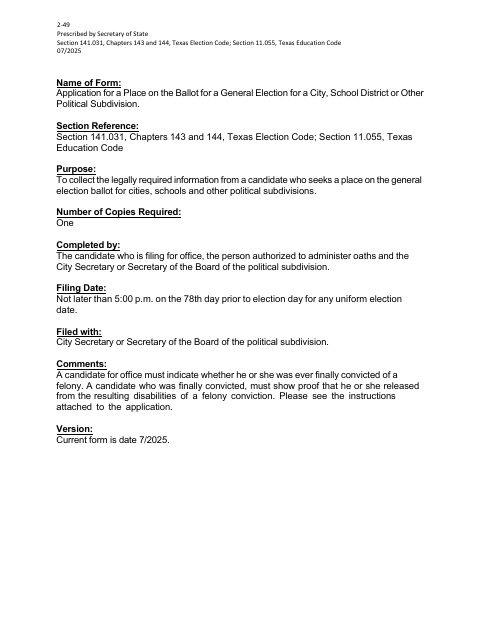
Candidates use this form to request a place on a general election ballot and provide information about the office sought, residence, felony conviction status, and other required details. The application also contains a candidate oath and instructions about filing deadlines and supporting proof for certain felony conviction disclosures. File one completed copy with the City Secretary or Secretary of the Board by the applicable deadline; the form says the filing deadline for a uniform election date is 5:00 p.m. on the 78th day before Election Day.
Who needs it
A candidate seeking a place on a general election ballot for a city, school district, or other political subdivision must complete and file this application.
How to get this notarized
- 1
Download The Application
Get the current candidate application for a place on a general election ballot.
- 2
Fill In Required Fields
Complete all fields unless marked optional, including the office sought and felony conviction status.
- 3
Book An Online Notary
Arrange a remote appointment with a commissioned online notary or another officer authorized to administer oaths.
- 4
Sign On Video
Sign and swear to the application and candidate oath during the online notary session.
- 5
Submit To The City
File one completed copy with the City Secretary or Secretary of the Board by the applicable deadline.
Preview the form
The blank PDF straight from Cross Roads. Look it over, then upload your filled copy to start the notary session.

You’ll need ID and a webcam.
A licensed online notary will join you on video, verify your government-issued ID, witness your signature, and apply their seal. You’ll receive the notarized PDF by email when the session ends.
Frequently asked questions
- How do I complete the candidate ballot application?
- Fill in the required fields, sign the candidate signature line, and swear to the statements before an officer authorized to administer oaths. Submit one completed copy to the City Secretary or Secretary of the Board.
- Do I need to sign the application in front of a notary?
- The form includes a sworn-to-and-subscribed section and a candidate oath. Sign and swear before an officer authorized to administer oaths; a commissioned online notary may administer the oath remotely.
- Can I use an online notary for this form?
- Texas has authorized remote online notarization since 2018, and Texas recognizes acknowledgments taken by notaries of other states. Confirm with the city if unsure whether it will accept your remotely notarized form.
- Where do I file the completed application?
- The form says to file one completed copy with the City Secretary or Secretary of the Board of the political subdivision. Check the form instructions for the applicable filing deadline.
Other forms in Cross Roads
Application for a Place on the Ballot for a General Election in other Texas cities
Each city publishes its own version of this form. Pick the city where you’re filing.