
Little Elm, TX · Denton County
Citizen Ride-Along Application and Release of Claims
This packet combines Little Elm Police Department observer rules, a release of claims, and a rider information form for adults seeking to accompany an officer on patrol.
- licensed online notary
- ~15 min average
- Notarized PDF emailed
What you’ll need
- Government-issued photo ID
- Webcam-enabled device (laptop or phone)
- This form, ready to upload as a PDF
What this form is
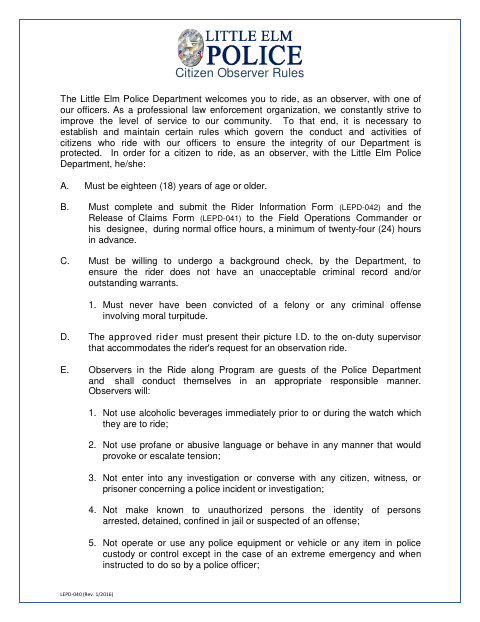
The packet explains ride-along eligibility and conduct rules, collects applicant and ride information, and includes a release of claims for the Town of Little Elm. Applicants must submit the Rider Information Form and Release of Claims Form at least 24 hours in advance during normal office hours. The department may conduct a background check, and the ride request requires approval by the Field Operations Commander or designee.
Who needs it
Adults seeking to observe Little Elm police officers on patrol must complete the rider information and release forms and submit them to the department in advance.
Why it needs a notary
The Release of Claims carries a sworn-and-subscribed jurat, so the applicant signs and swears to the release before a notary.
How to get this notarized
- 1
Download the Packet
Get the Citizen Ride-Along Application packet from the Little Elm website.
- 2
Complete the Forms
Fill out the rider information and review the observer rules and Release of Claims.
- 3
Book an Online Notary
Schedule a remote session with a commissioned online notary for the jurat on the Release of Claims.
- 4
Sign on Video
Show your identification, then sign and swear to the release during the video session.
- 5
Submit to the City
Submit the Rider Information Form and Release of Claims Form to the Field Operations Commander or designee at least 24 hours ahead during normal office hours.
Preview the form
The blank PDF straight from Little Elm. Look it over, then upload your filled copy to start the notary session.

You’ll need ID and a webcam.
A licensed online notary will join you on video, verify your government-issued ID, witness your signature, and apply their seal. You’ll receive the notarized PDF by email when the session ends.
Frequently asked questions
- How do I get the release of claims notarized online?
- Complete the packet, then meet with a commissioned online notary by video. Sign and swear to the release during the online notarization, and follow the city’s instructions for submitting the application.
- Do I need to sign the release in front of a notary?
- Yes. The Release of Claims includes a sworn-and-subscribed jurat, which requires you to sign and swear to the document before a notary.
- Can I submit the forms immediately before my ride?
- The rules say to submit the Rider Information Form and Release of Claims Form at least 24 hours in advance, during normal office hours.
- Can I use an online notary for this form?
- Texas has authorized remote online notarization since 2018. Ask the city how it accepts notarized forms; confirm with the city if unsure.