
Sugar Land, TX · Fort Bend County
Sub-Permit Application
This application lets a contact on an approved parent building permit start the appropriate trade permit application process in Sugar Land’s CSS portal.
What this form is
Use this process when the parent building permit has already been approved. The application instructions direct a logged-in contact associated with the application to access it in CSS, start the appropriate trade permit application, add a contact if needed, review project information and attachments if needed, and submit.
Who needs it
A contact associated with an approved parent building permit uses this process to apply for the appropriate trade permit.
How to submit it
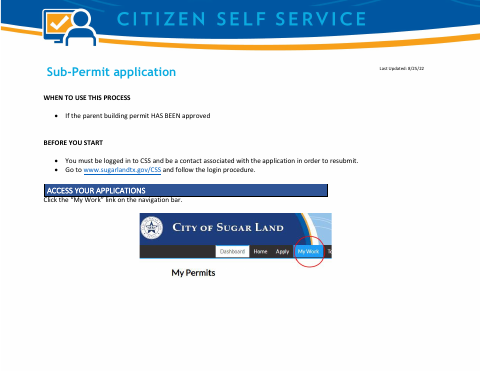
Log in at www.sugarlandtx.gov/CSS, open “My Work,” access the permit, and follow the trade permit application process through the final check and submission.
About notarization
No notary is required; the document gives no signing instruction or notarized attachment, so it does not say to sign or date it.
How to submit this form
- 1
Download the Application
Get the Sub-Permit Application PDF.
- 2
Log In to CSS
Go to www.sugarlandtx.gov/CSS and follow the login procedure.
- 3
Access Your Permit
Click “My Work” and open your permit.
- 4
Complete and Submit
Apply for the appropriate trade permit, add a contact if needed, review the information and attachments, then submit.
Frequently asked questions
- When do I use the Sub-Permit Application?
- Use this process if the parent building permit has already been approved.
- How do I submit the Sub-Permit Application?
- Log in to CSS, open “My Work,” access your permit, follow the trade permit application process, and submit after the final check.
- Do I need a notary for the Sub-Permit Application?
- No. The document gives no signing instruction or notarized attachment, and it does not say to sign or date it.
Need something notarized?
This Sub-Permit Application doesn’t need a notary — but Texas residents can notarize other documents online with a commissioned online notary.